Firm leadership
Partners & directors
Analyze financial data to identify trends and patterns; generate reports and presentations; automate administrative tasks that pull them away from client relationships.
Staff Product Designer · AI Systems · Fintech
I build AI-native products and design infrastructure for professional workflows at scale. Currently at Intuit, making enterprise accounting feel effortless for 10,000+ firms.
10K+
Accounting firms onboarded in 4 months
15+
Product teams aligned
40%
Feature adoption, Client Insights
Agentic AI · Books Close · Fintech
Designing an AI agent for month-end close across 200+ client files — replacing hours/day of manual triage and targeting half close prep time and faster blocker detection.
Analytics · AI-native · Fintech
Firm-wide analytics for QuickBooks — query financials across every client in the book, not one file at a time.
40%
Feature adoption
250+
Clients per firm
0
External BI tools needed
Redefined how Intuit's GenAI behaves for professional accountants — moving it from a generic chatbot to a context-aware, multi-tenant intelligence engine with three foundational architectural principles.
↑ Client health checks: hours of navigation → seconds of query
Broke a multi-month executive deadlock with a functional coded prototype — securing investment for a 100+ person org and a product adopted by 10,000 firms within 4 months of launch.
↑ 10,000 firms adopted · 100+ person org secured · Enterprise market unlocked
Transformed work management from fragmented features across QBO, Mailchimp, and TurboTax into a unified L1 platform capability — defining the design architecture, operating model, and governance framework for 15+ offering teams.
↑ 15+ teams aligned · FY23 + FY24 roadmaps defined · DACI operating model established
I'm a Staff Product Designer at Intuit, where I've spent the last several years making some of the most cognitively complex professional workflows feel effortless — accounting operations, enterprise-level practice management systems, and AI-powered financial intelligence for tens of thousands of firms.
My work lives at the intersection of product strategy, systems thinking, and craft. I don't just design screens — I define frameworks, align organizations, and build the design infrastructure that lets teams move faster and more coherently.
I'm looking for my next challenge at a company building something ambitious — where design has a seat at the strategy table.
Outside work
Sports and the outdoors found me late — they weren't part of how I grew up — but that's exactly what made falling in love with them meaningful. Picking things up from scratch, getting better at something unfamiliar, figuring out how to push further than you thought you could: that's genuinely fun to me. It's the same instinct that pulls me toward new food, new places, and new experiences whenever I can find them. Dark chocolate and a strong coffee are non-negotiable constants in all of it.
Baking is my other outlet — there's something satisfying about a process that requires precision and rewards patience, which probably says something about how I approach design too.
I care a lot about doing what's right, even when it's inconvenient. And if a friend needs me, I show up.

Expertise
Craft
AI-native product designSystems
Multi-tenant architecturePlatform
Design systems & governanceStrategy
0→1 product visionLeadership
Cross-functional alignmentDomain
Fintech · SaaS · EnterpriseMethods
Research-led discoveryTools
Figma · Prototyping in codeOpen to Staff and Principal IC roles across Bay Area and remote.
AI Architecture · Multi-tenant · Staff IC
Redefining how Intuit's GenAI behaves for professional accountants — from a generic single-user chatbot to a context-aware, multi-tenant intelligence engine with cross-client @ mentions.
Intuit's GenAI was built for small business owners — but professional accountants managing hundreds of client files needed an AI that understood multi-tenant context, permission boundaries, and professional-grade responses.
I advocated for the accountant persona, defined three foundational AI architectural principles, and designed a two-level delivery roadmap — culminating in the @ mention feature that enabled cross-client queries from the IAS dashboard in seconds instead of hours of file navigation.
Intuit's GenAI framework was originally built for Small Business Owners — people who benefit from basic guidance like tax term explanations and simple categorization tips. When professional accountants, who manage hundreds of clients simultaneously, used this same AI, the results were jarring.
The AI couldn't distinguish between the accountant and their client. It gave CPAs advice meant for beginners. It had no concept of "I'm working across 200 client files right now." And it forced accountants to manually hop into each individual QuickBooks file — one at a time — to perform any real professional work.
I identified this gap, named it the "Identity Crisis," and argued to the business that we were actively alienating our most powerful users.
Before defining how Intuit Intelligence should behave in IAS, I ran qualitative research with partner-to-mid-level accountants across accounting firms — exploring how AI fits into professional practice today, their willingness to adopt it, and what they'd trust an IAS chatbot to do.
Firm leadership
Partners & directors
Analyze financial data to identify trends and patterns; generate reports and presentations; automate administrative tasks that pull them away from client relationships.
Review & compliance
Managers & seniors
Review financial statements for accuracy and compliance; identify and correct errors; perform risk assessments and audits with AI-assisted review, not replacement.
Day-to-day execution
Staff & associates
Data entry and transaction processing; basic financial analysis; routine reports and client communications — the repetitive work they'd most want automated first.
Users expected the chatbot to be a trusted advisor — not just a task automator. They wanted intelligence that understood their firm, their workflow, and their clients.
Understand me
Recognize the firm's history and unique needs — industry focus, client mix, software stack. Understand current workflow and context: what task am I on, what's my goal? Proactively surface issues and opportunities from firm data with actionable recommendations.
Go beyond summaries
Provide insights with context and explanation — not just data dumps — so accountants can make decisions and have better client conversations without re-processing raw numbers themselves.
Be my partner
Help me work faster by automating tedious tasks and offering intelligent suggestions at the right moment — augmenting expertise, not replacing professional judgment.
Earn trust first
Be transparent about how the AI works, what data it uses, and how it reaches conclusions. Security and explainability were prerequisites before firms would let AI anywhere near client books.
These insights directly informed the product direction: persona-aware responses for accountants, @ mention scoping for multi-client context, and architectural guardrails around permissions and data sovereignty — translating research expectations into shippable IAS Intelligence.
Research surfaced four user expectations — trust, human empowerment, tangible value, and workflow context. These three architectural principles translated those insights into system-level rules for multi-tenant AI — not surface-level UI fixes.
A two-level delivery roadmap — first establishing the accountant persona and embedding AI in the IAS dashboard, then shipping the @ mention solve that unlocked true multi-tenant queries in Intuit Assist.
Making the AI recognize who it's talking to — establishing the accountant as a distinct persona so the AI stops giving CPAs beginner-level advice, then embedding intelligence directly in the Accountant Suite.
IAS embedding
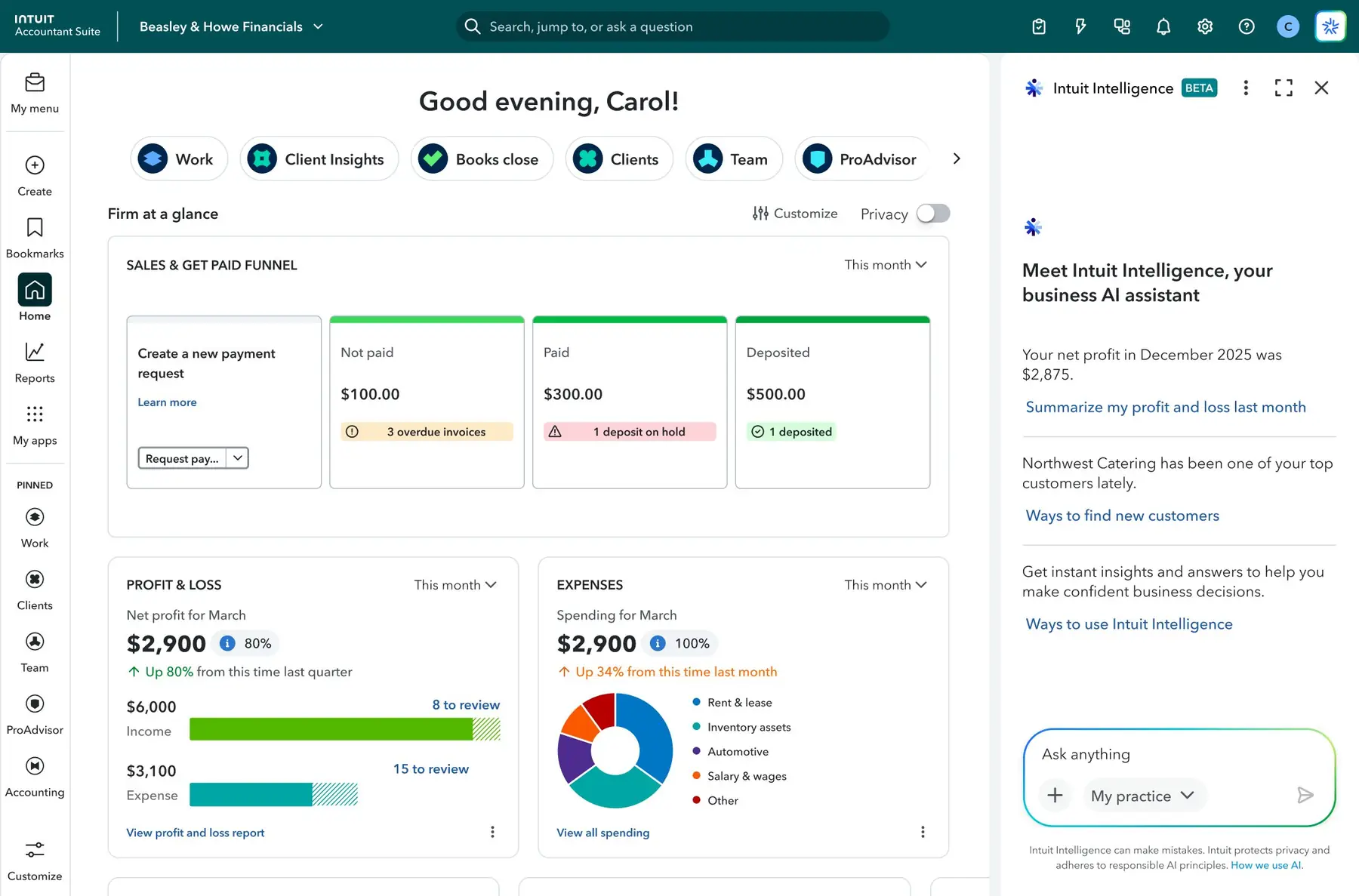
Client scope chip
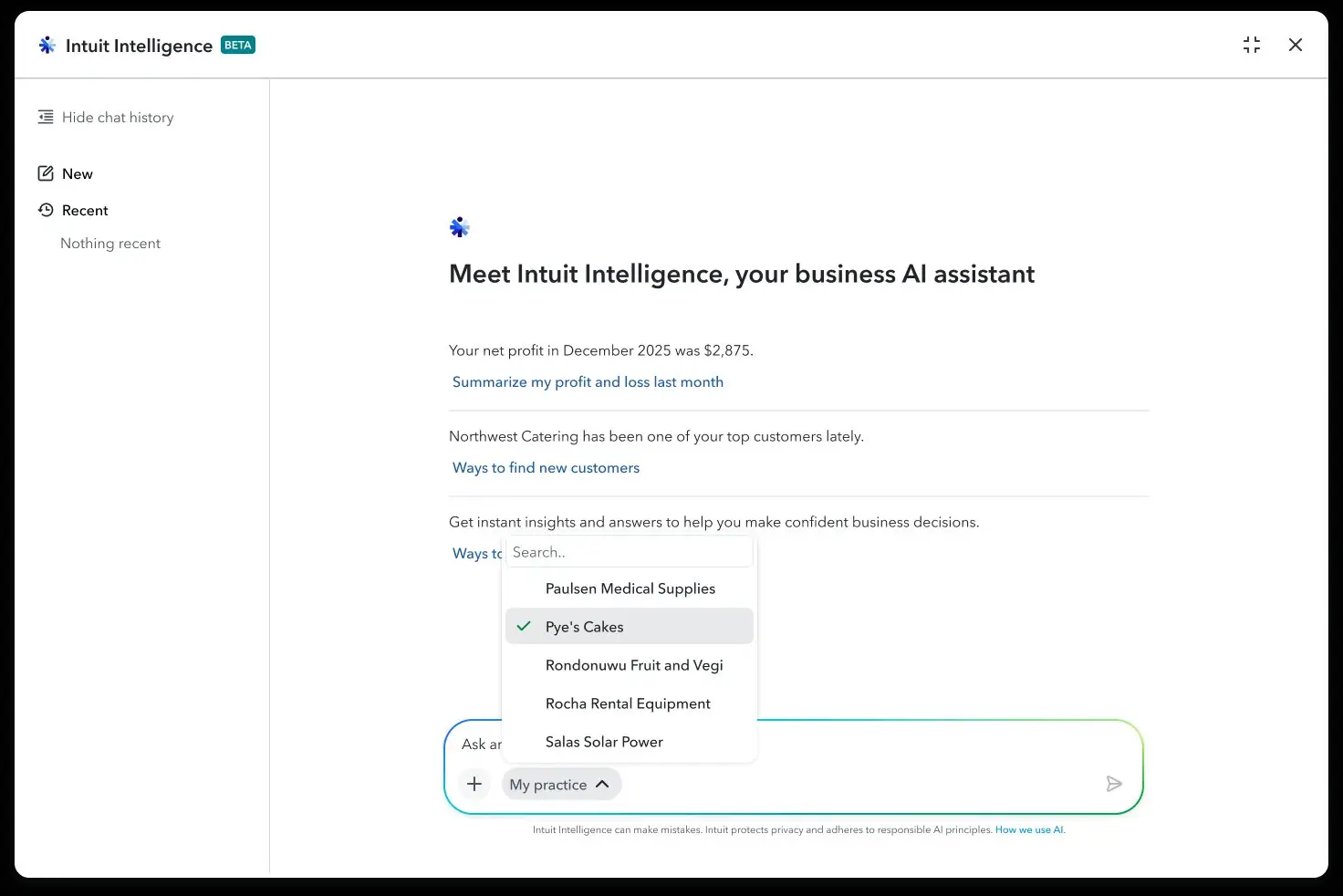
Level 1 fixed the identity crisis and shipped a pragmatic path: persona-aware responses inside the IAS dashboard, with a scope chip that anchors queries to the right data environment and expands into a searchable client picker.
The hero feature — typing "@" to scope a query to any client file and get a specific, data-backed answer without leaving the IAS dashboard.
@ mention picker
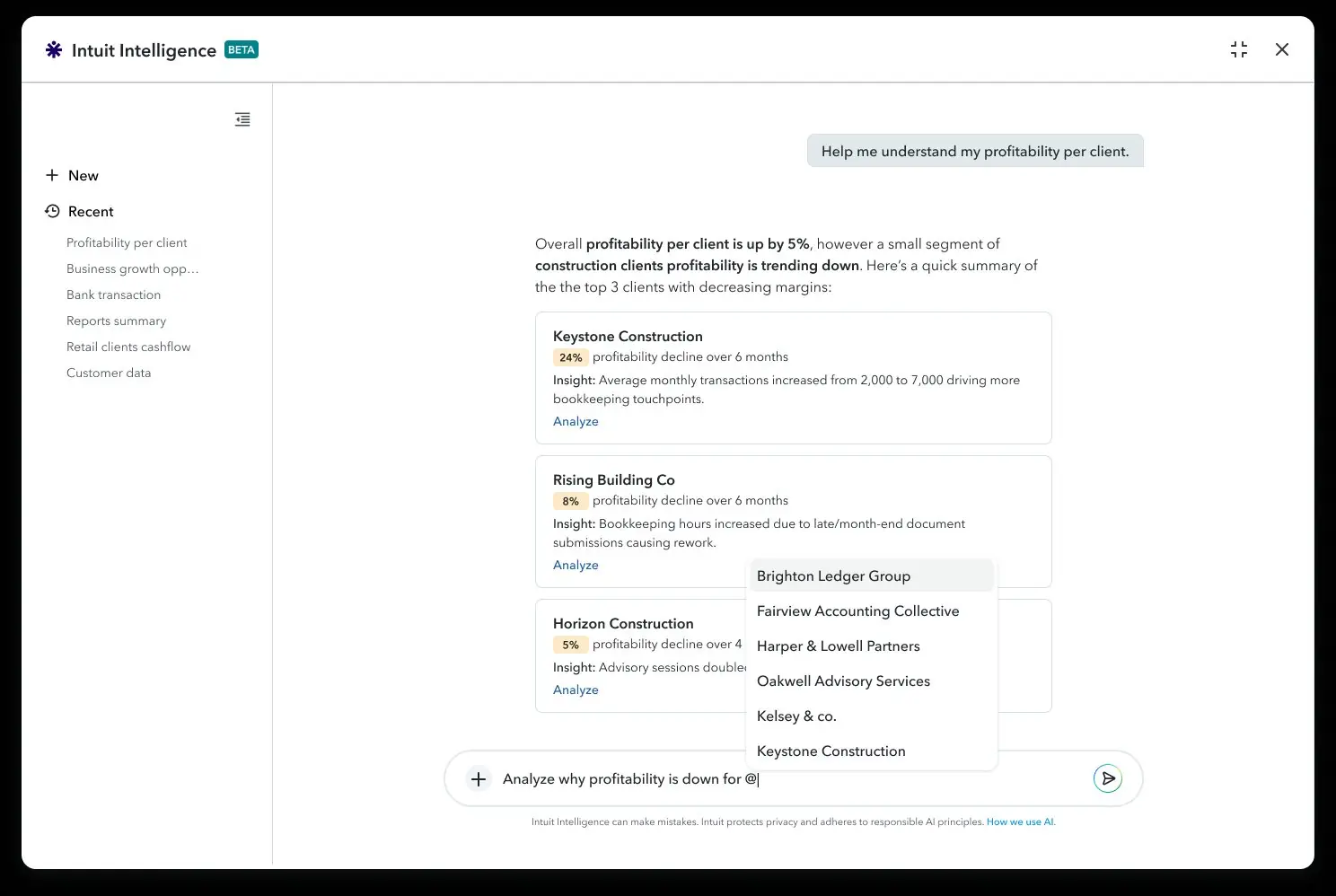
Scoped answer
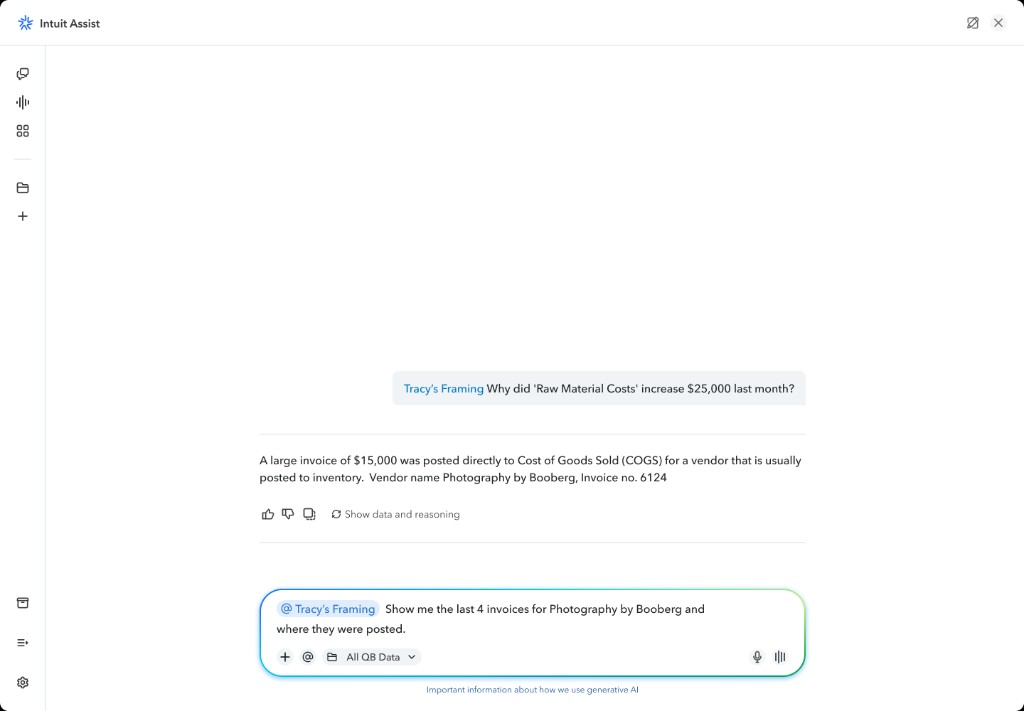
Level 2 unlocked true multi-tenant AI: an accountant tags @Tracy's Framing, asks why raw material costs spiked, and gets a specific answer — misclassified vendor invoice, amount, and document number. Cross-client synthesis without leaving the IAS dashboard. A task that previously took 45–90 minutes of manual file navigation now returns in seconds.
The three architectural principles I defined became the governing framework for how Intuit AI behaves for all professional users — a reusable foundation that any future AI feature in the accountant ecosystem builds on.
Cross-client workflows that previously required hours of manual file navigation were reduced to seconds of natural language query.
The hardest part of this project wasn't the design — it was the advocacy. Convincing a business that its most powerful AI feature was alienating its most valuable users required framing the problem in business terms: these accountants manage the majority of data in the Intuit ecosystem, and if they don't trust the AI, adoption fails.
Platform · 0→1 · Enterprise · Staff IC
When Intuit needed to break into the enterprise accounting market, the strategy existed only in documents — stalled for six months. I ended the deadlock with a functional coded prototype that secured a 100+ person business unit and 10,000 firm adoptions in 4 months.
QBOA dominated small-firm accounting but couldn't run mid-to-large practices — firms stitched together ~11 tools while leadership debated a 40-page strategy for six months.
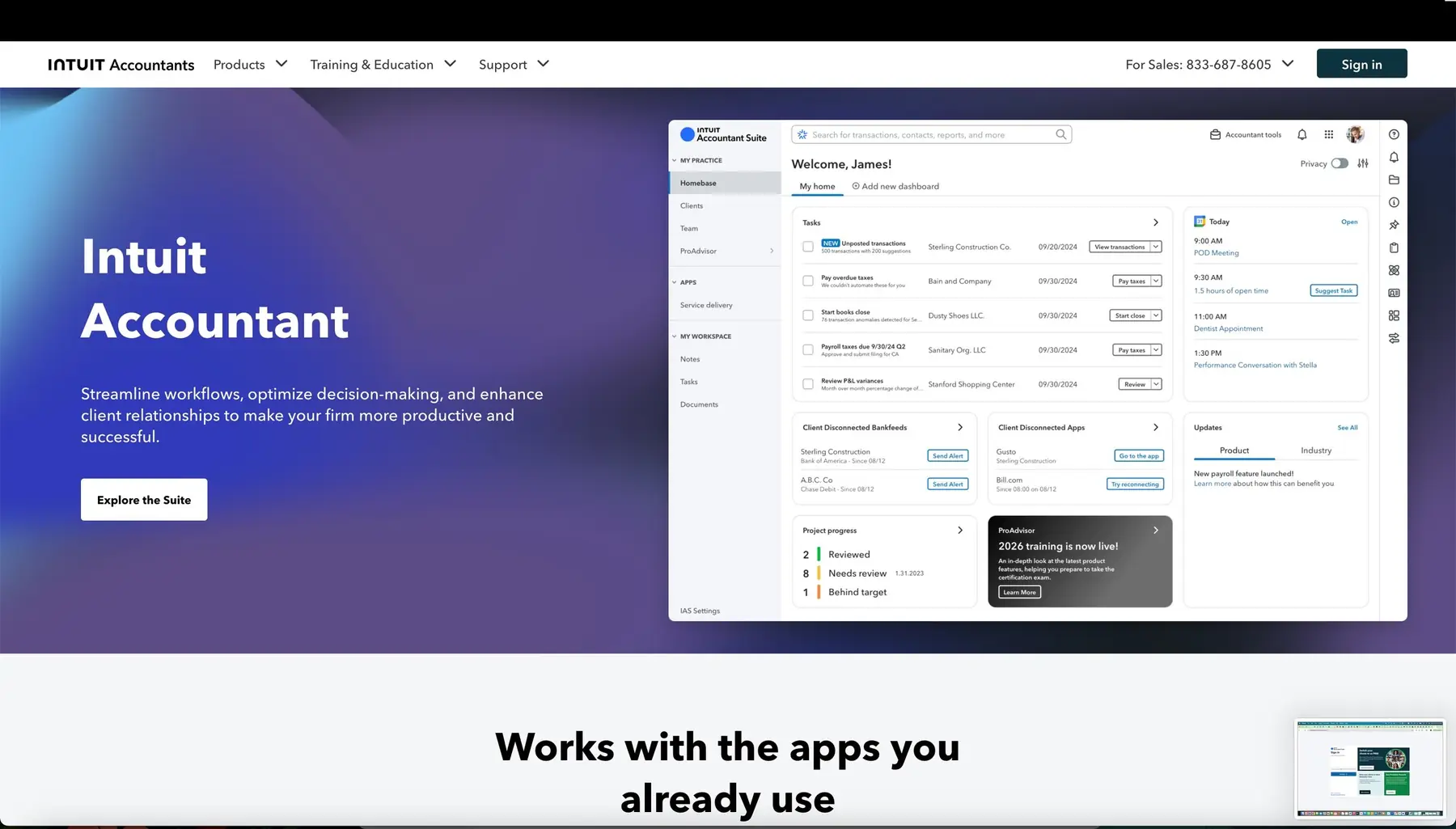
I built a functional coded prototype of the full Intuit Accountant Suite — consolidating client management, service delivery, data intelligence, and team management into one unified platform — and used it to break the executive stalemate and fund a new business unit.
QBOA had become the dominant accounting software for small firms — so dominant that the market was effectively saturated. To generate meaningful new revenue, Intuit needed to move upstream into mid-to-large accounting firms: a completely different customer with far more complex needs.
The existing QBOA couldn't run a firm. It couldn't manage teams, track service delivery across hundreds of clients, or give partners the visibility they needed to run a practice at scale. Research showed these larger firms were stitching together ~11 different tools just to operate. For six months, leadership couldn't agree on how to move. I decided to change the medium.
Four strategic pillars that became the product roadmap foundation — each solving a distinct fragmentation pain for mid-to-large accounting firms.
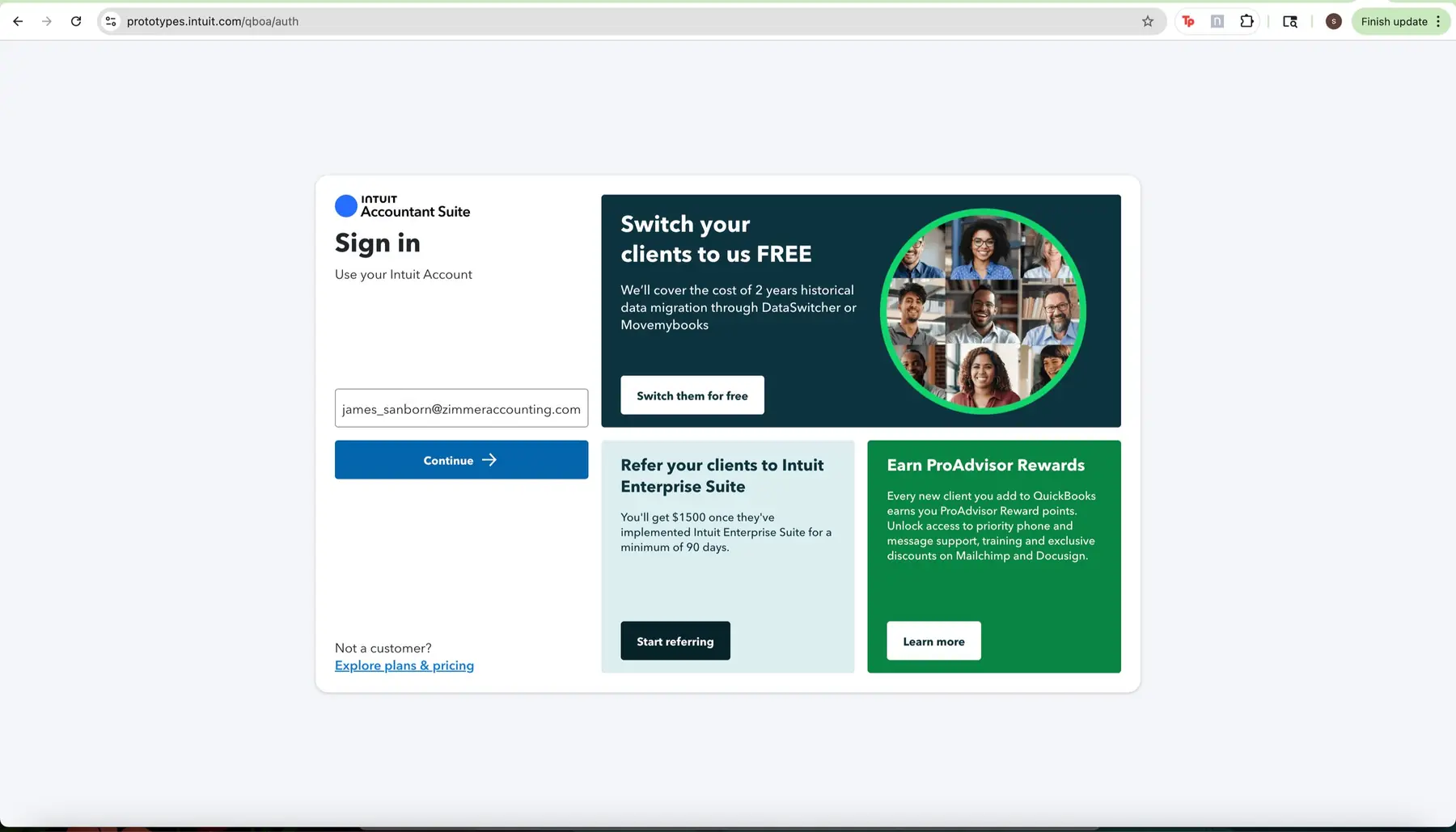
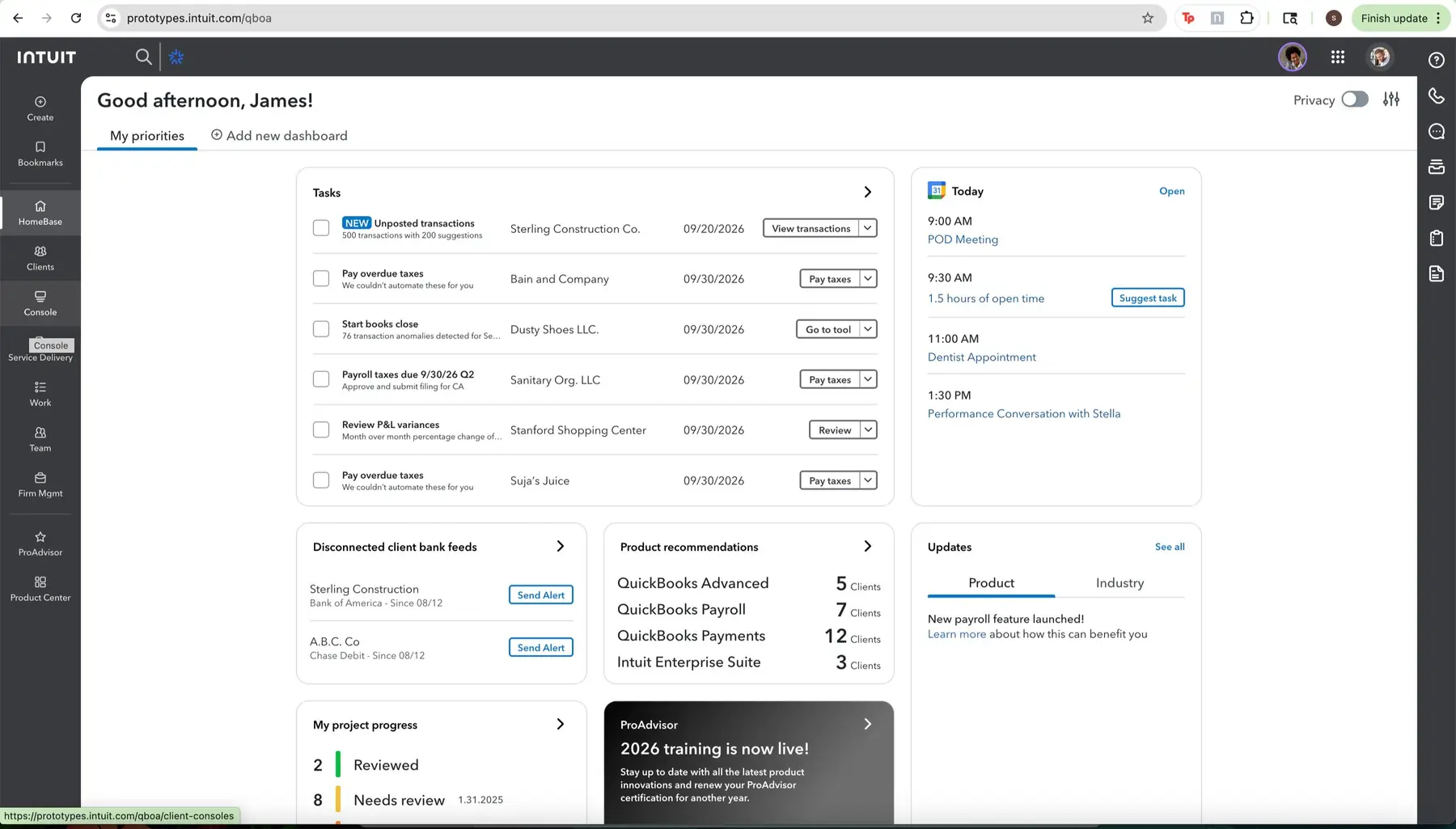
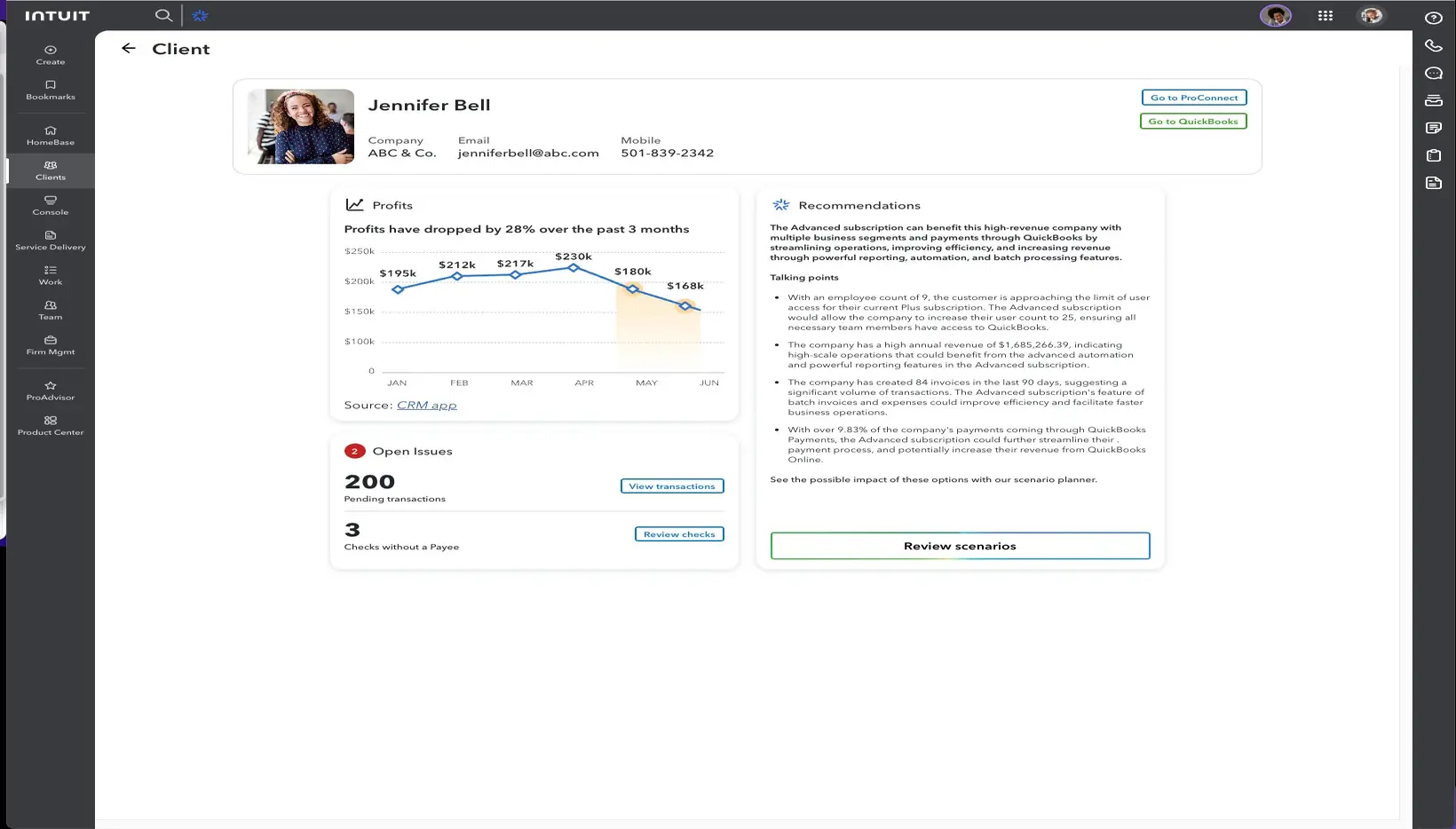
A functional, high-fidelity coded prototype — not a slideshow, but a clickable system navigating from client acquisition through service delivery to AI-powered insights in a single session. Seeing the 11-tool burden consolidated moved the conversation from "should we do this?" to "how do we start?" within weeks.
Marketing & onboarding
Sign-in & acquisition
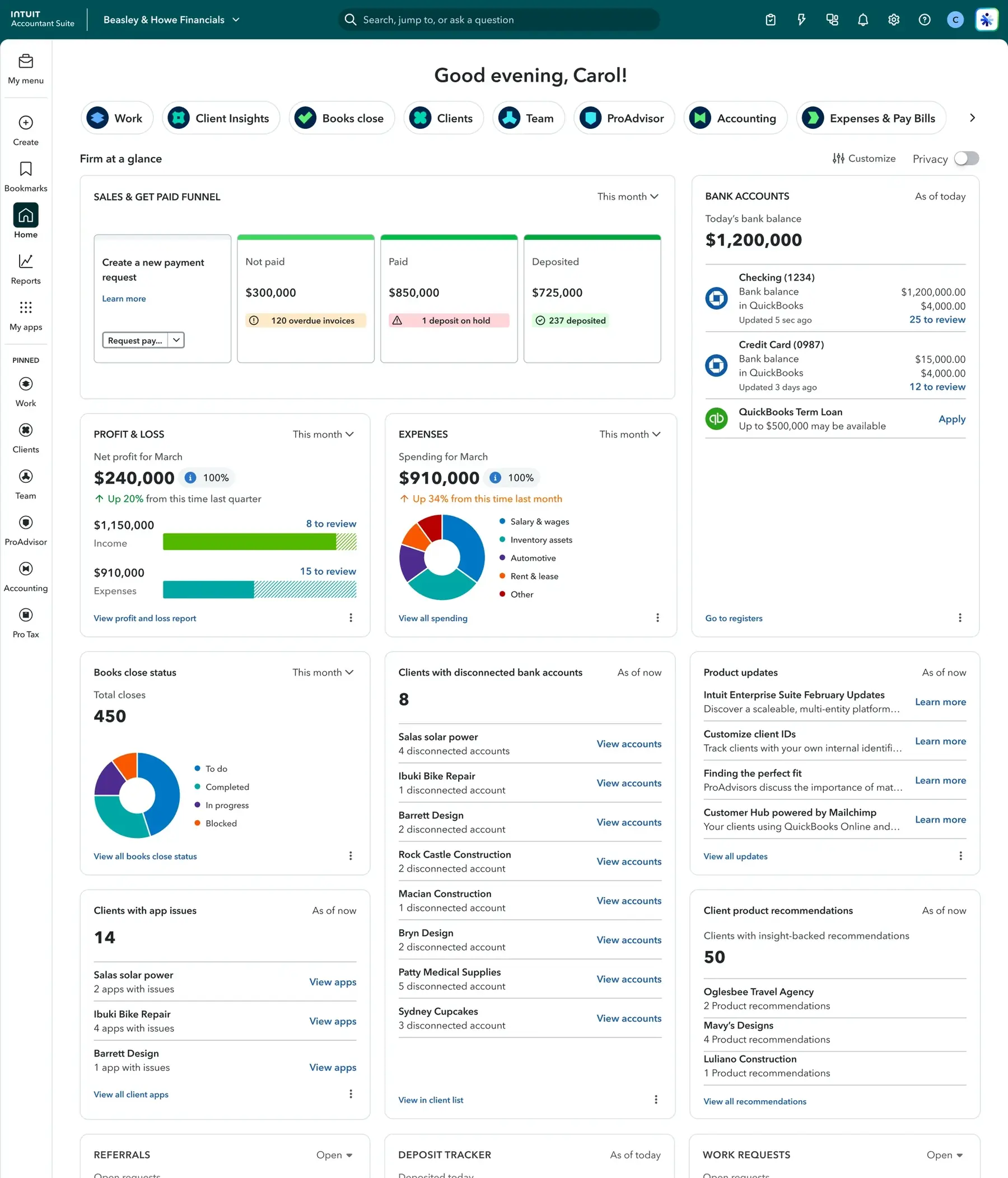
HomeBase — firm dashboard
Client AI profile
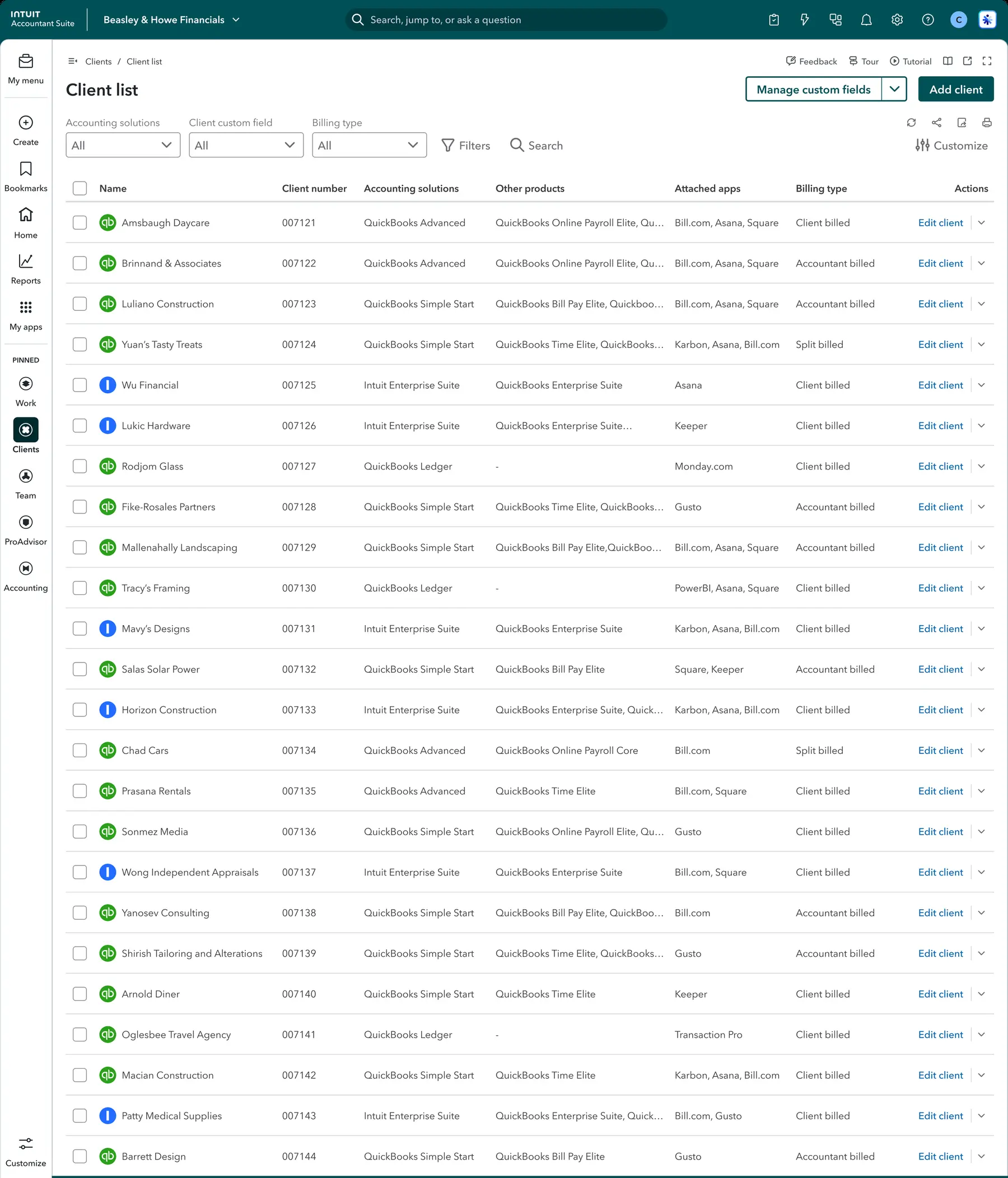
Every client in one unified roster — accounting solutions, products, attached apps, and billing type visible at a glance. No CRM required.
Client list — unified roster
HomeBase — firm-wide intelligence
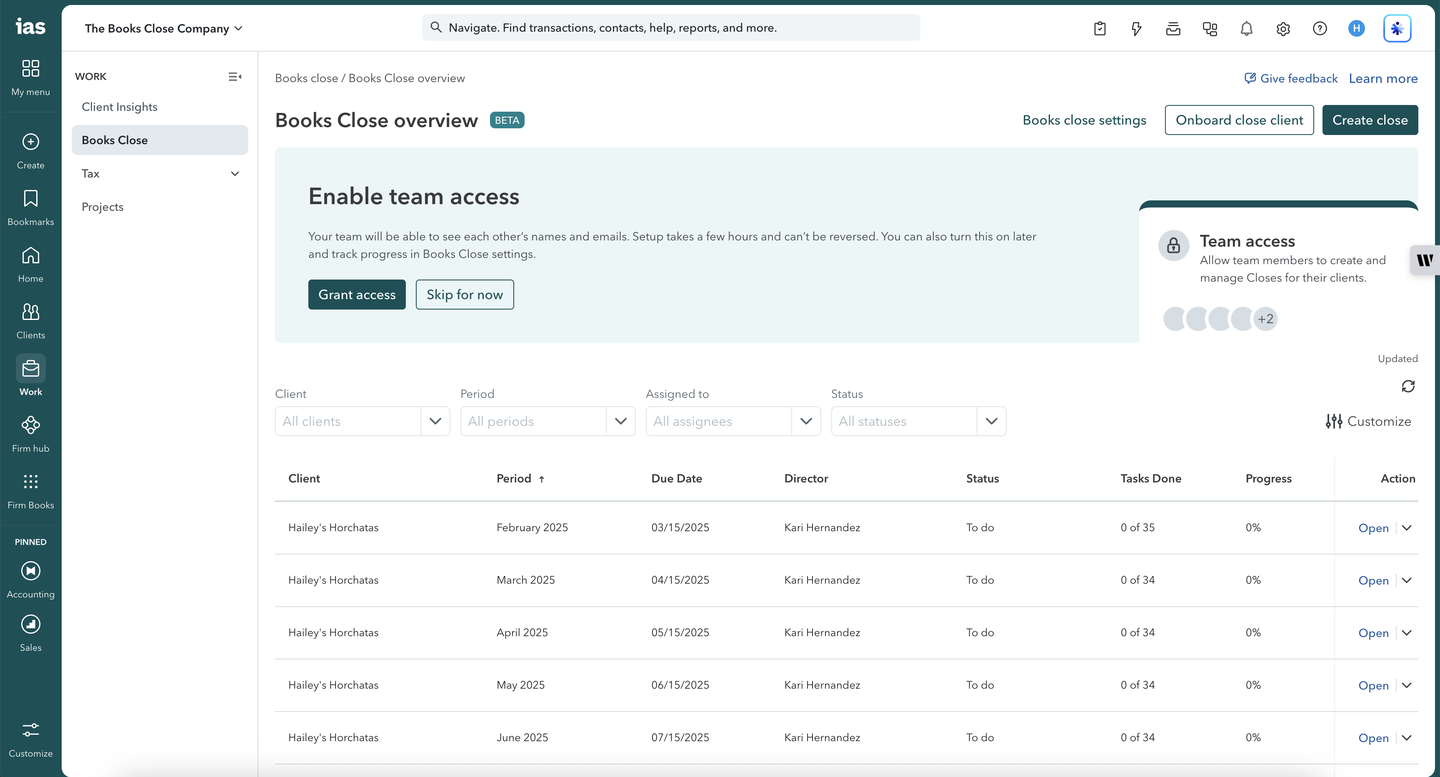
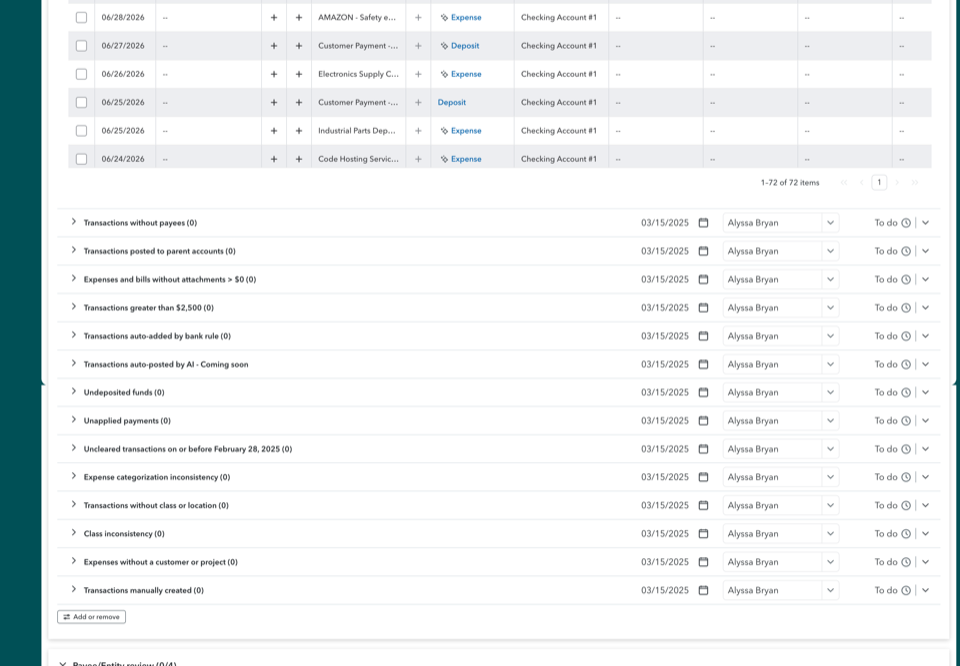
Service delivery meant working client-by-client through planning, checklists, transaction review, and financial statement prep inside each client file — with no firm-wide view of where close work stood across the book.
Firm-wide Books Close overview
Client-by-client manual close
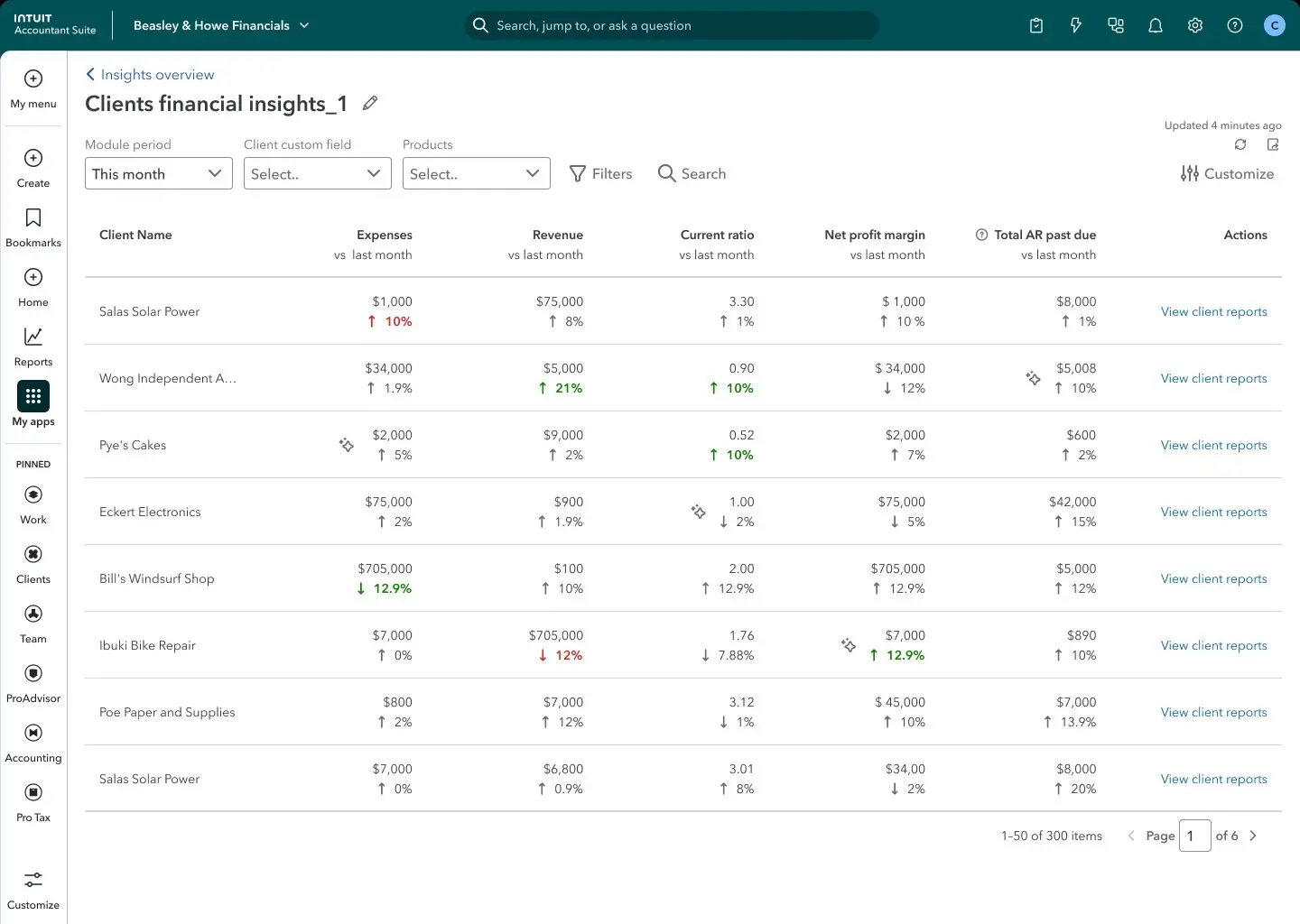
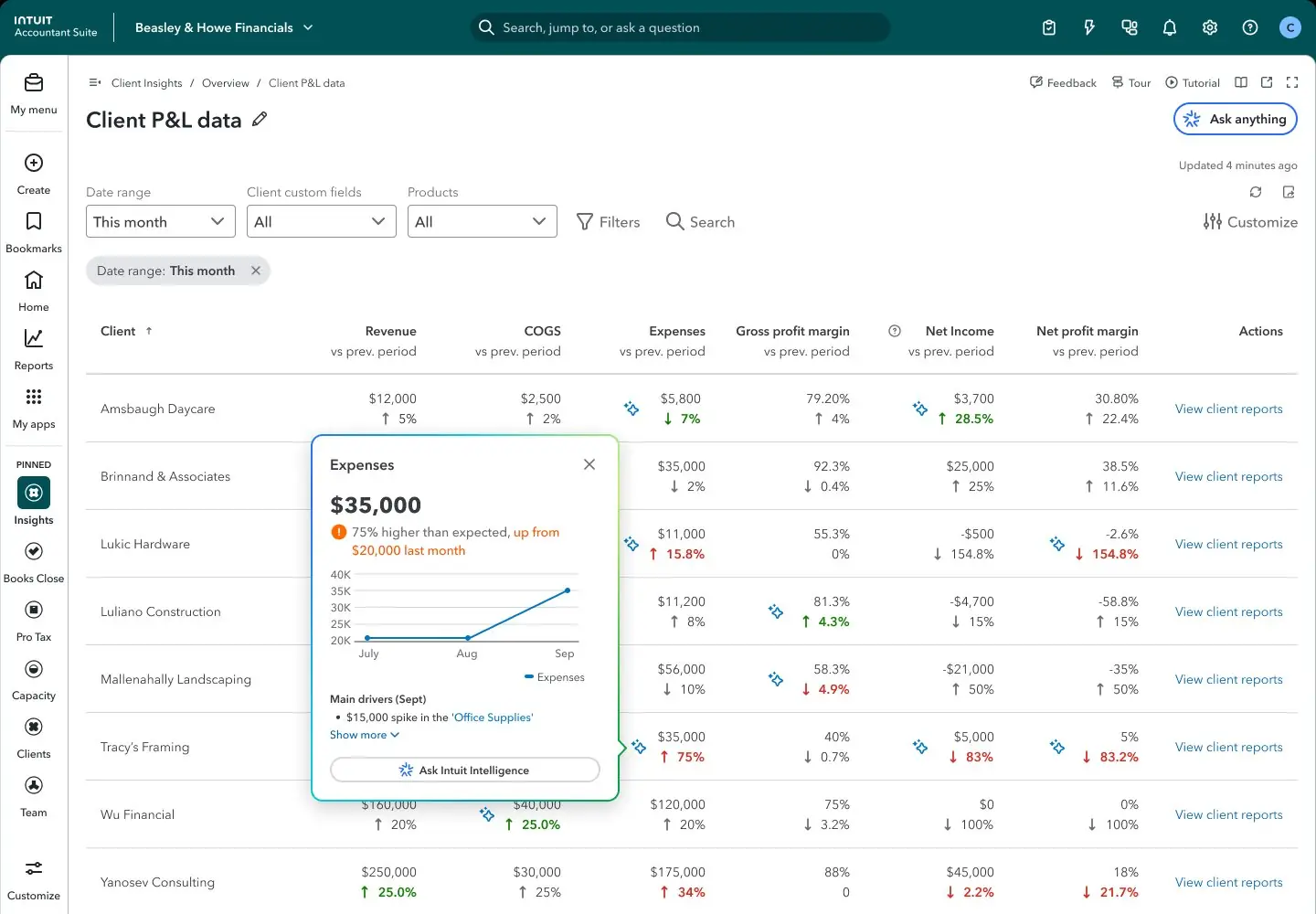
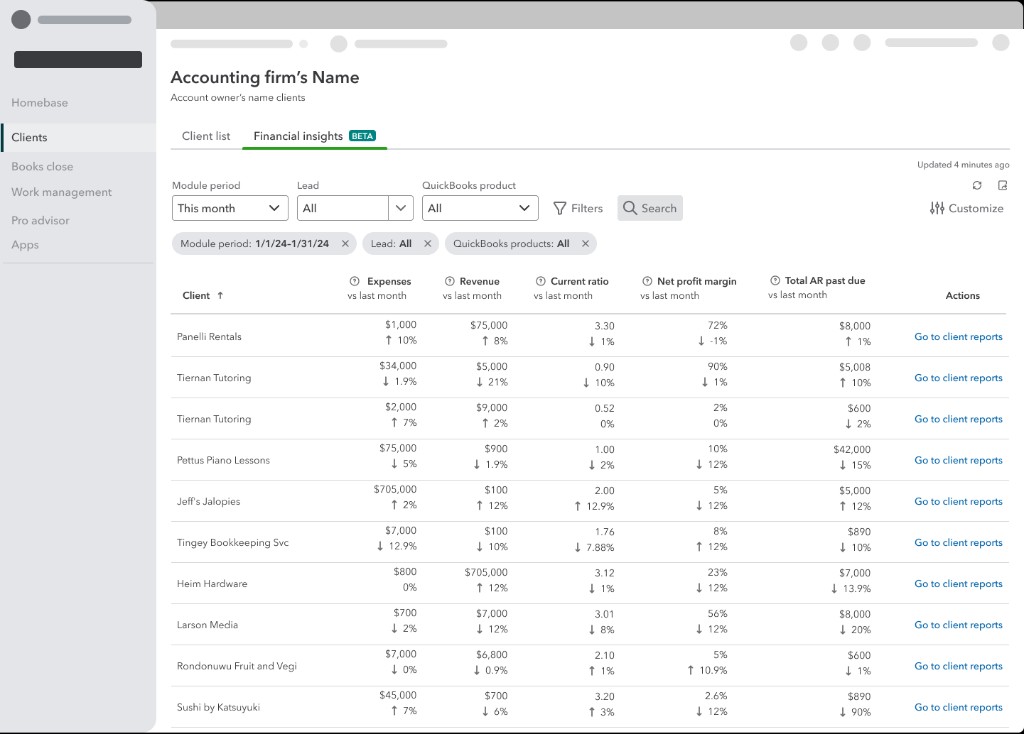
300 clients queryable across expenses, revenue, ratios, and AR past due — with colour-coded anomaly signals and AI drill-down per client.
Portfolio table
AI anomaly drill-down
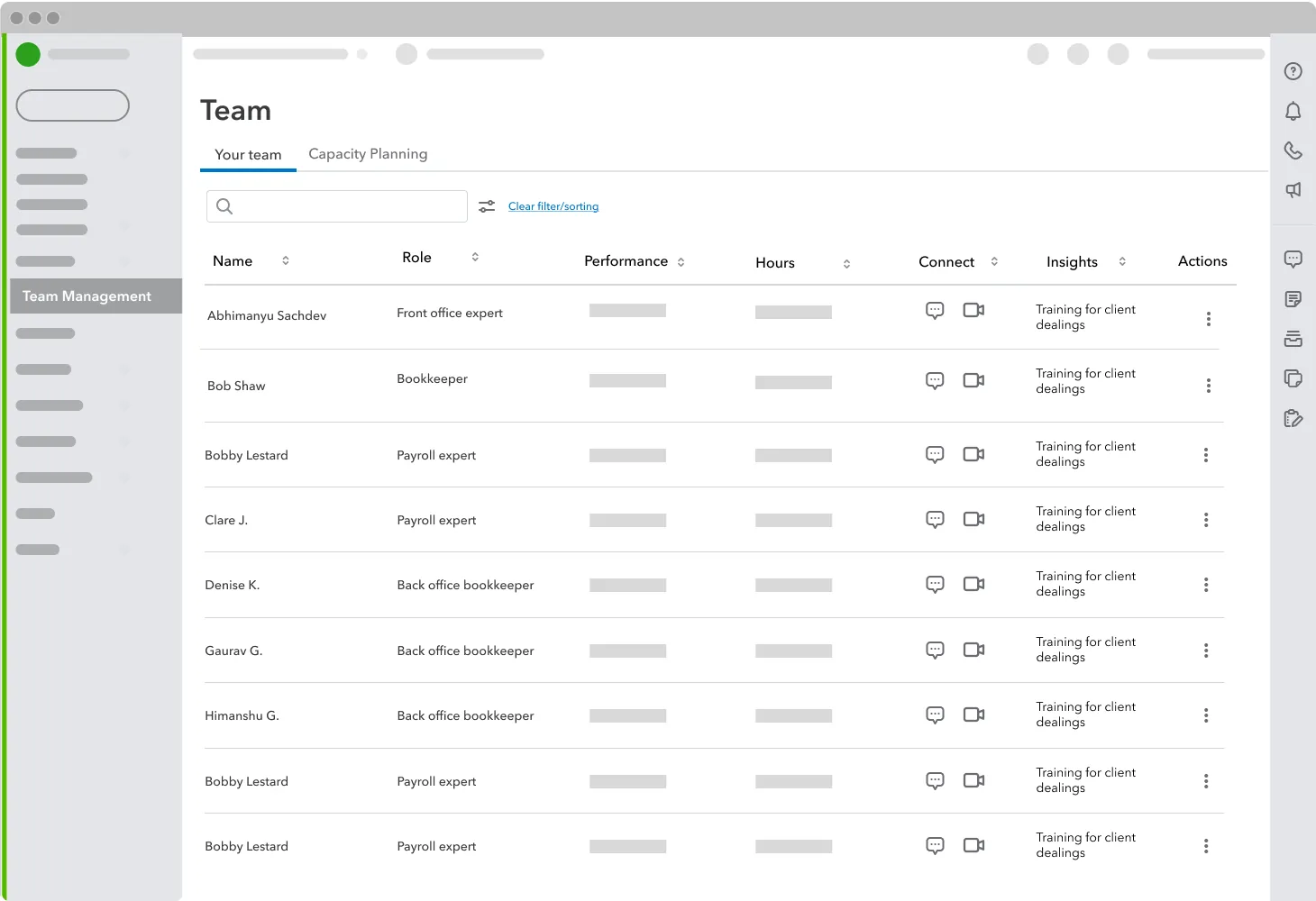
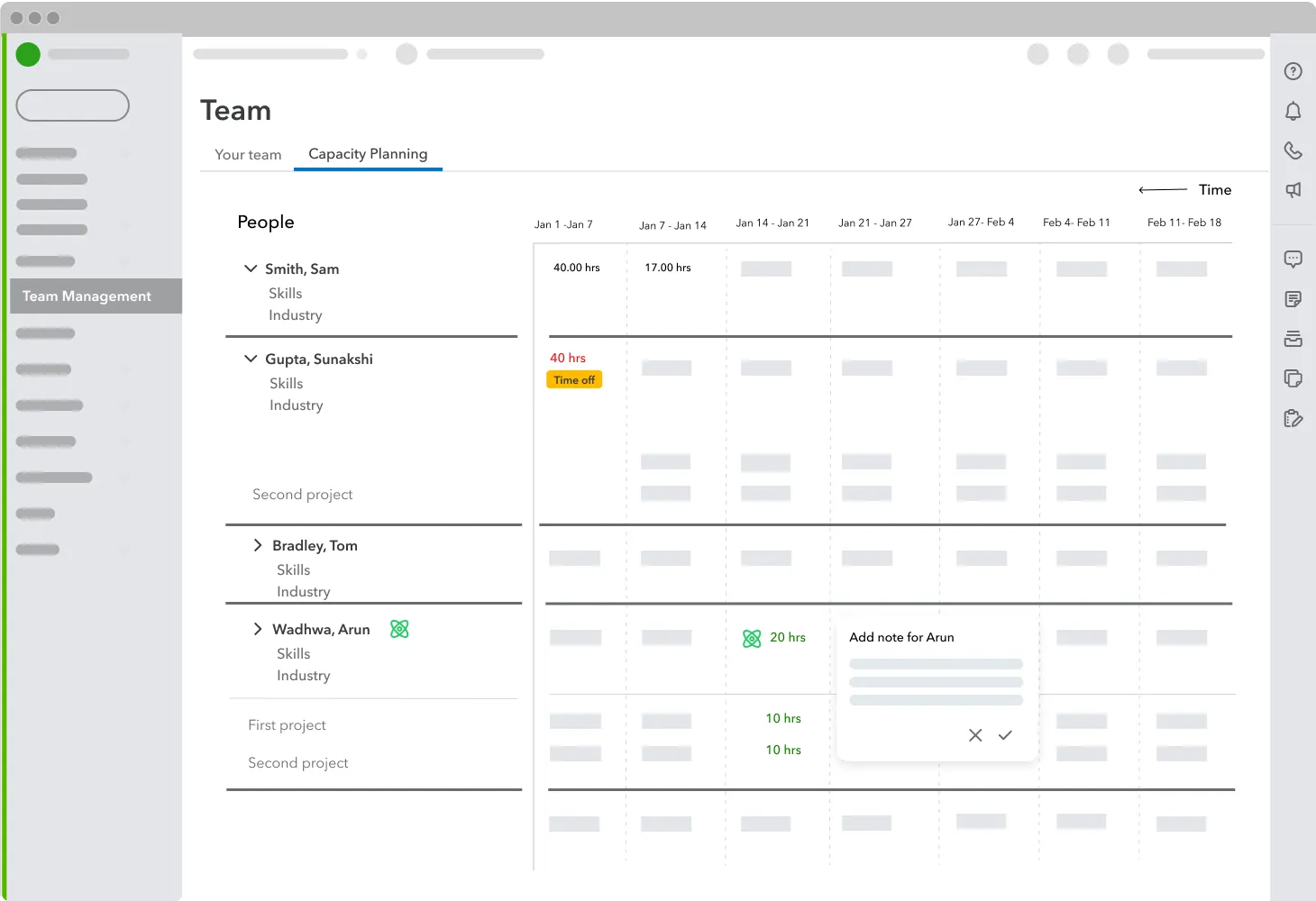
Design provocations for workload distribution — roster performance and weekly capacity planning before delivery problems surface.
Team roster & performance
Capacity planning
I established a Co-Development Framework with leaders from mid-to-large accounting firms to ensure we were solving their most expensive problems before committing to production. I ran intensive workshops to map the 11-tool fragmentation in detail — those workshops directly produced the four pillar structure.
The prototype I built ended a six-month strategic stalemate and secured investment for a dedicated 100+ person organization. The suite launched and reached 10,000 firm adoptions within 4 months — positioning Intuit as a credible competitor in the large-firm market for the first time.
Analytics · AI-native · Data Platform
Transformed QuickBooks from a siloed per-client based reporting system into a queryable, firm-wide intelligence platform — giving accounting firms their first portfolio-wide view across 250–1,800+ clients.
Client Console is an AI-native analytics platform that gives accounting firms a queryable, portfolio-wide view across every QuickBooks client file — without external BI or manual exports.
Unlike per-client reporting tools that leave firms blind at scale, it surfaces anomalies, trends, and segmentation-specific dashboards in one firm-wide intelligence layer.
QuickBooks was built around a fundamental unit: the individual client file. For a firm with 500 clients, getting a portfolio-wide view wasn't a feature gap — it was an impossible task. Firms were paying for external BI tools, building custom Excel macros, or simply going without the visibility they needed.
Two personas from 27+ CAS research interviews — staff and director levels, both living inside the same siloed-client-file problem.
Jane Horton
Sr. Accountant
Responsibility
Prospects new clients, scopes engagements, produces complex work, reviews simple work, and serves as client point of contact.
Personal goals
Passing the regulation portion of the CA CPA exam — with the same attention to detail her client work demands every day.
Opens client files one at a time — no portfolio-wide view without hours of manual review.

Stella Medina
Director
Responsibility
Leads client engagement PODs — prospecting, scoping, producing complex work, reviewing simple work, and acting as primary client contact.
Personal goals
More time away from Saturday catch-up work. Building firm relationships and supporting colleagues' growth.
Oversees hundreds of clients but reviews them in isolation — firm-wide intelligence was impossible at scale.

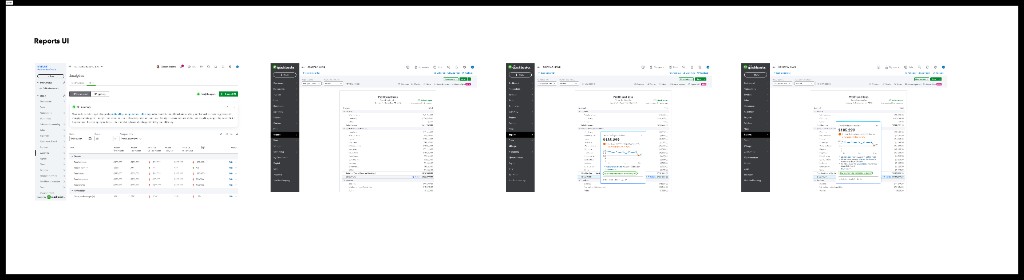
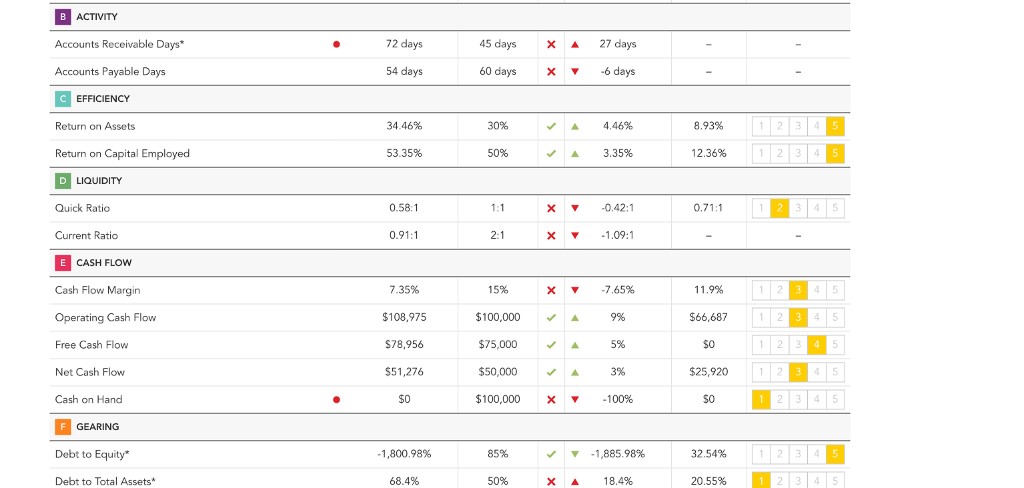
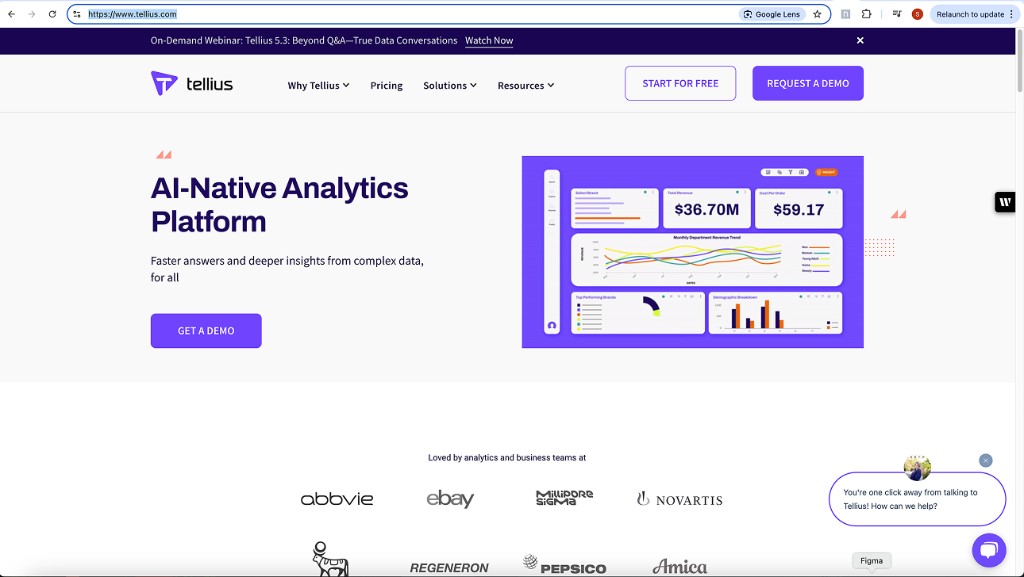
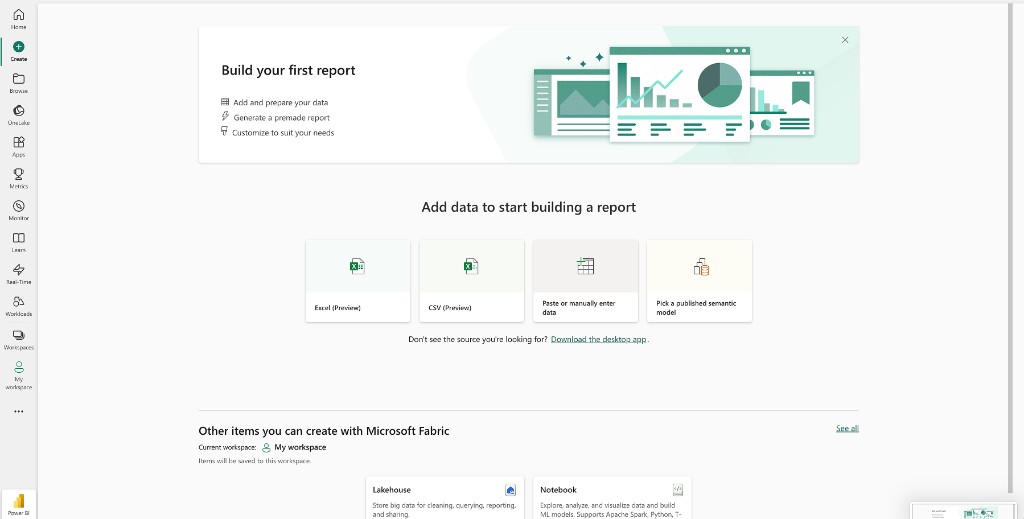
Benchmarked portfolio analytics across accounting platforms, BI tools, and AI-native dashboards — mapping what firms actually used before we defined the white space Client Console would own.
Fathom
Accounting analytics
Tellius
AI-native analytics
Microsoft Fabric
Enterprise BI
Airtable
Flexible data views
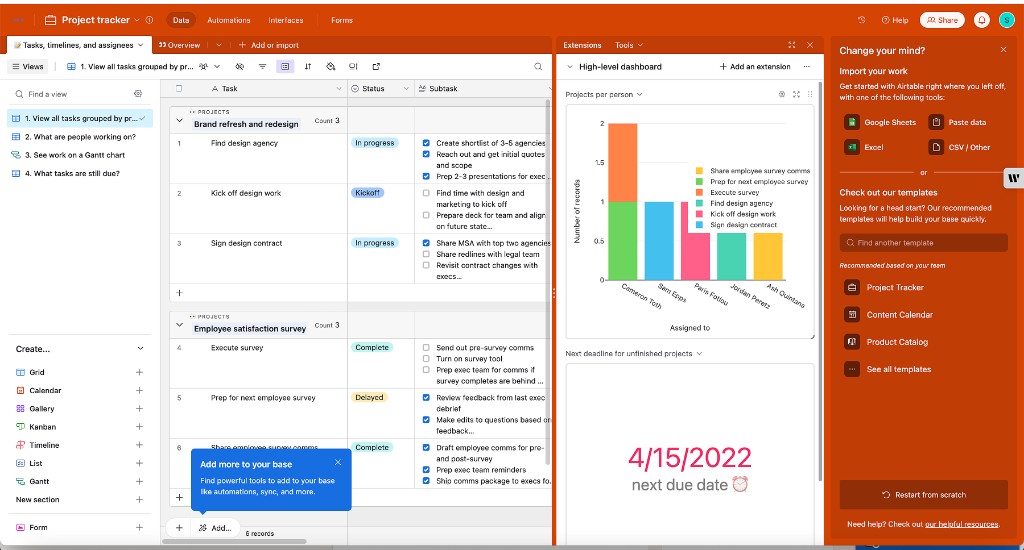
The gap was clear: every tool solved one slice — per-client KPIs, external BI, custom spreadsheets, or AI chat — but none offered native, portfolio-wide querying inside QuickBooks.
Six principles shaped Client Console — how data works across hundreds of clients, how accountants query it, and how AI flags what needs attention.
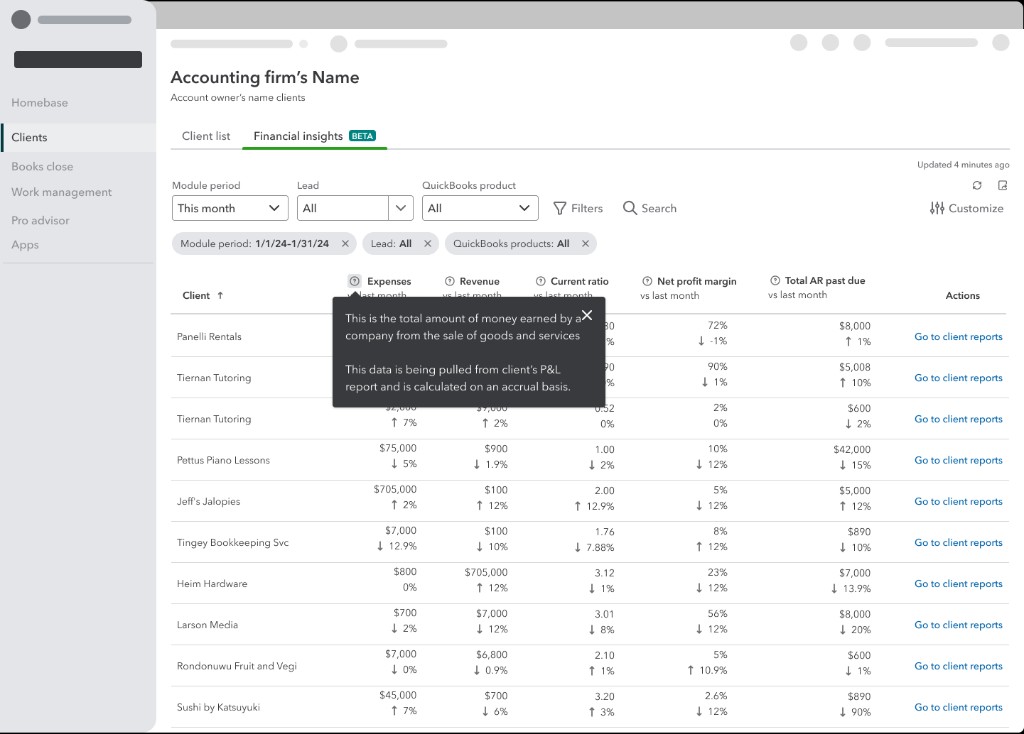
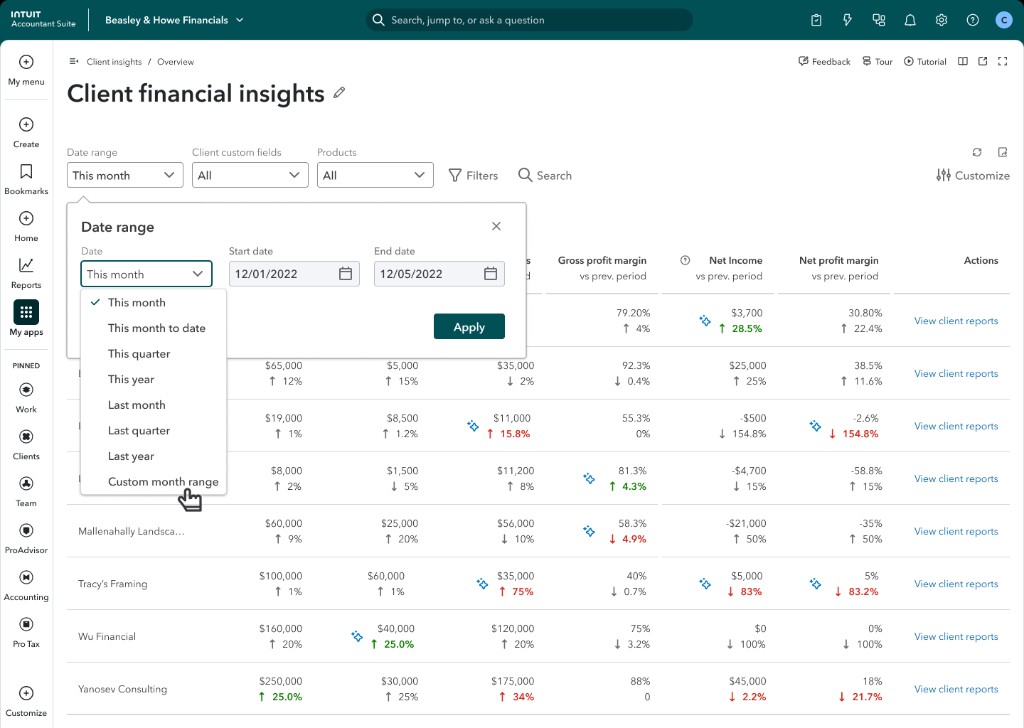
Client Console replaced the per-file loop with a firm-wide analytics layer — every client in one queryable table, with the customization accountants expect from professional tools.
Financial insights
Customize metrics
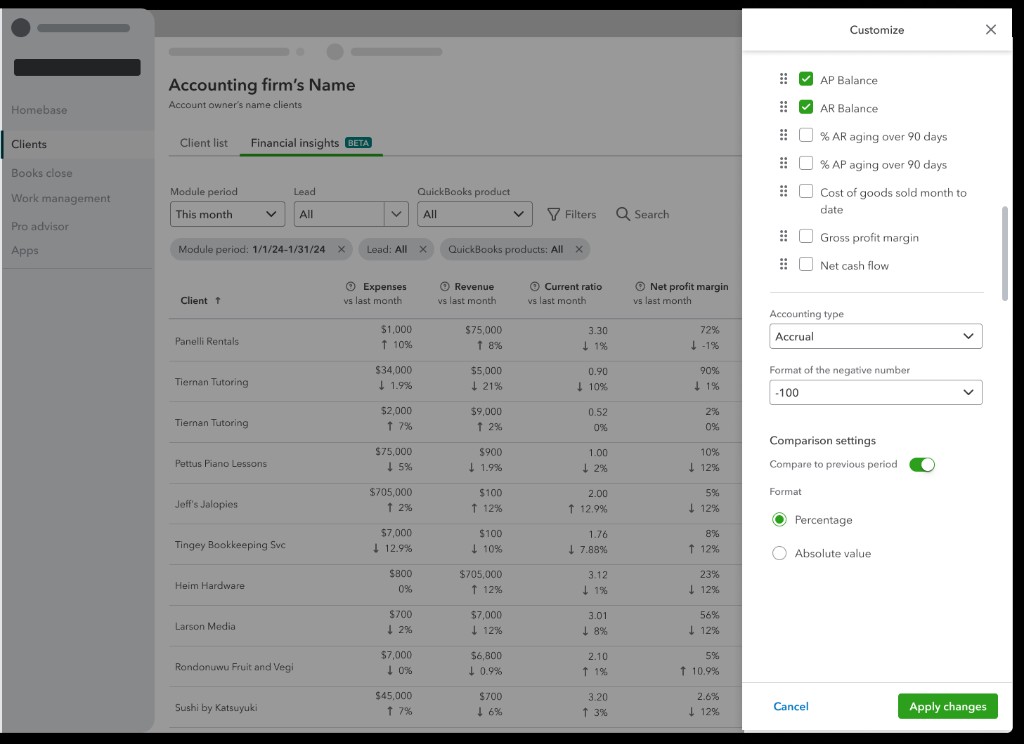
Every manipulation accountants expect from a professional analytics tool — built in, not bolted on with external BI.
Filter & search
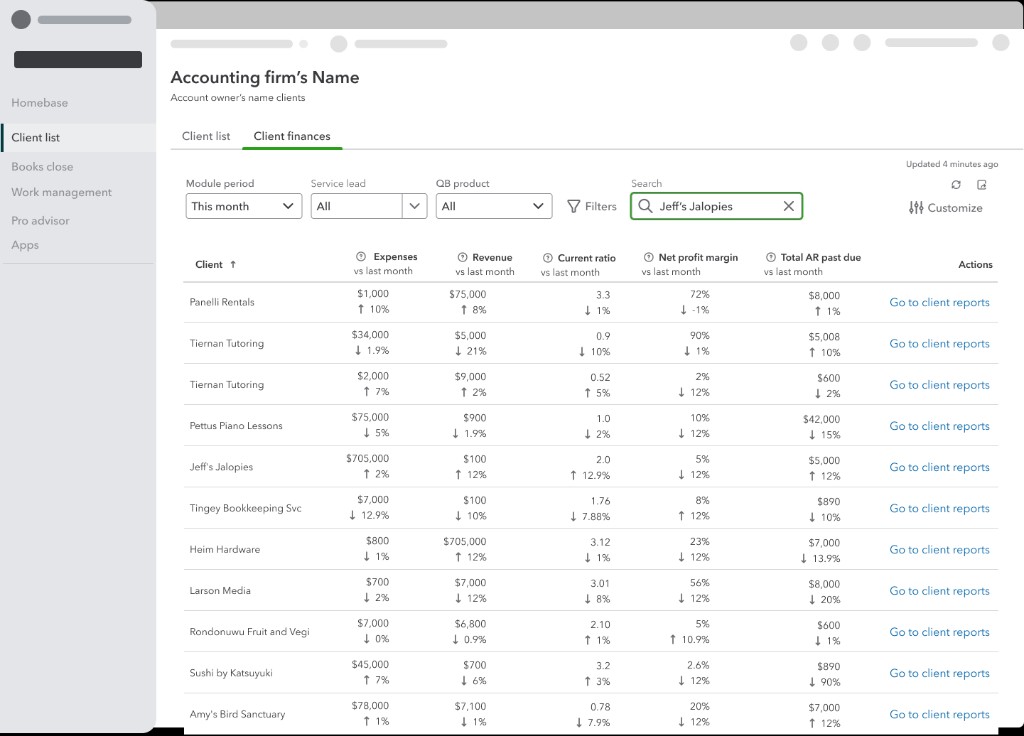
Column controls
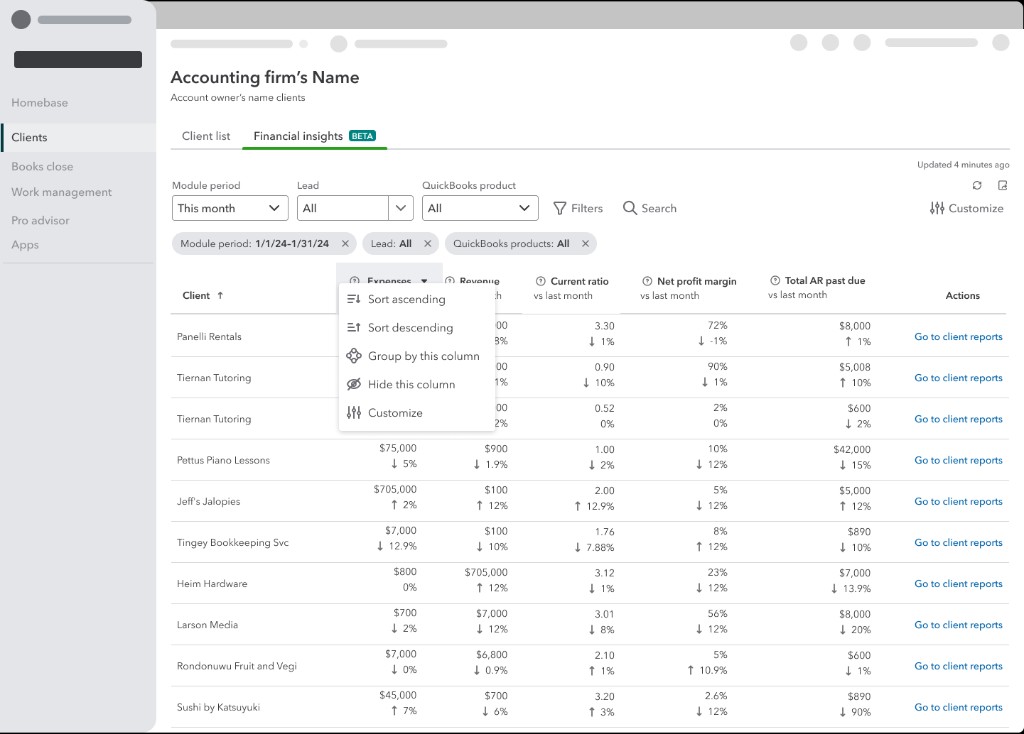
Data transparency
Date range
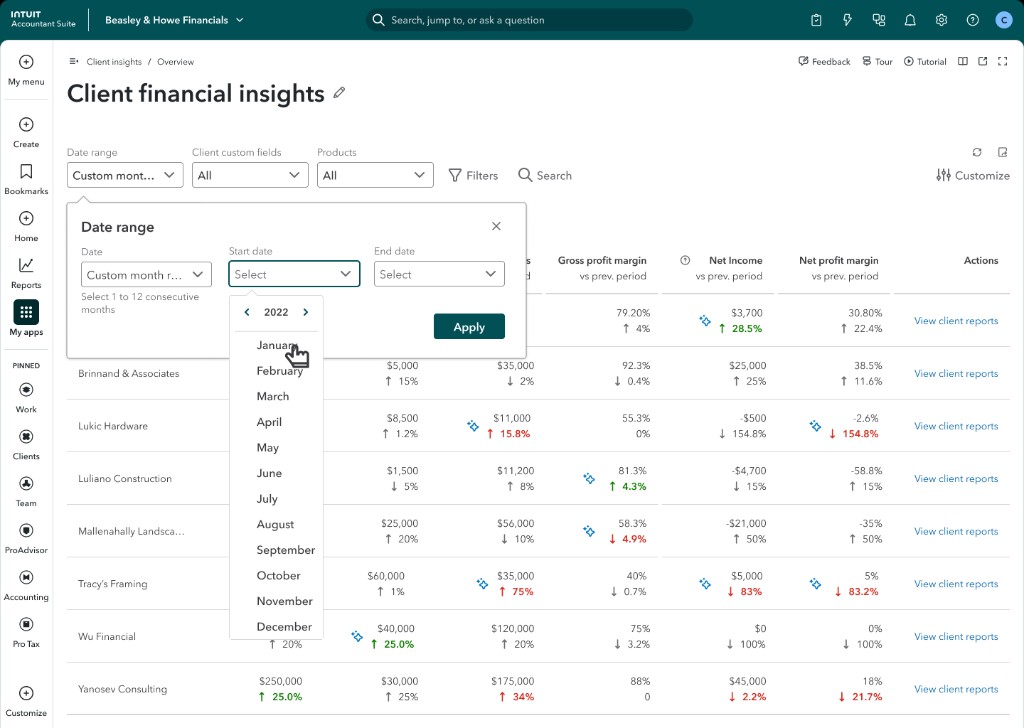
Custom periods
Accountants query any client data in natural language, filter by custom fields, and drill into AI-surfaced anomalies — all without leaving the Console or opening individual client files.
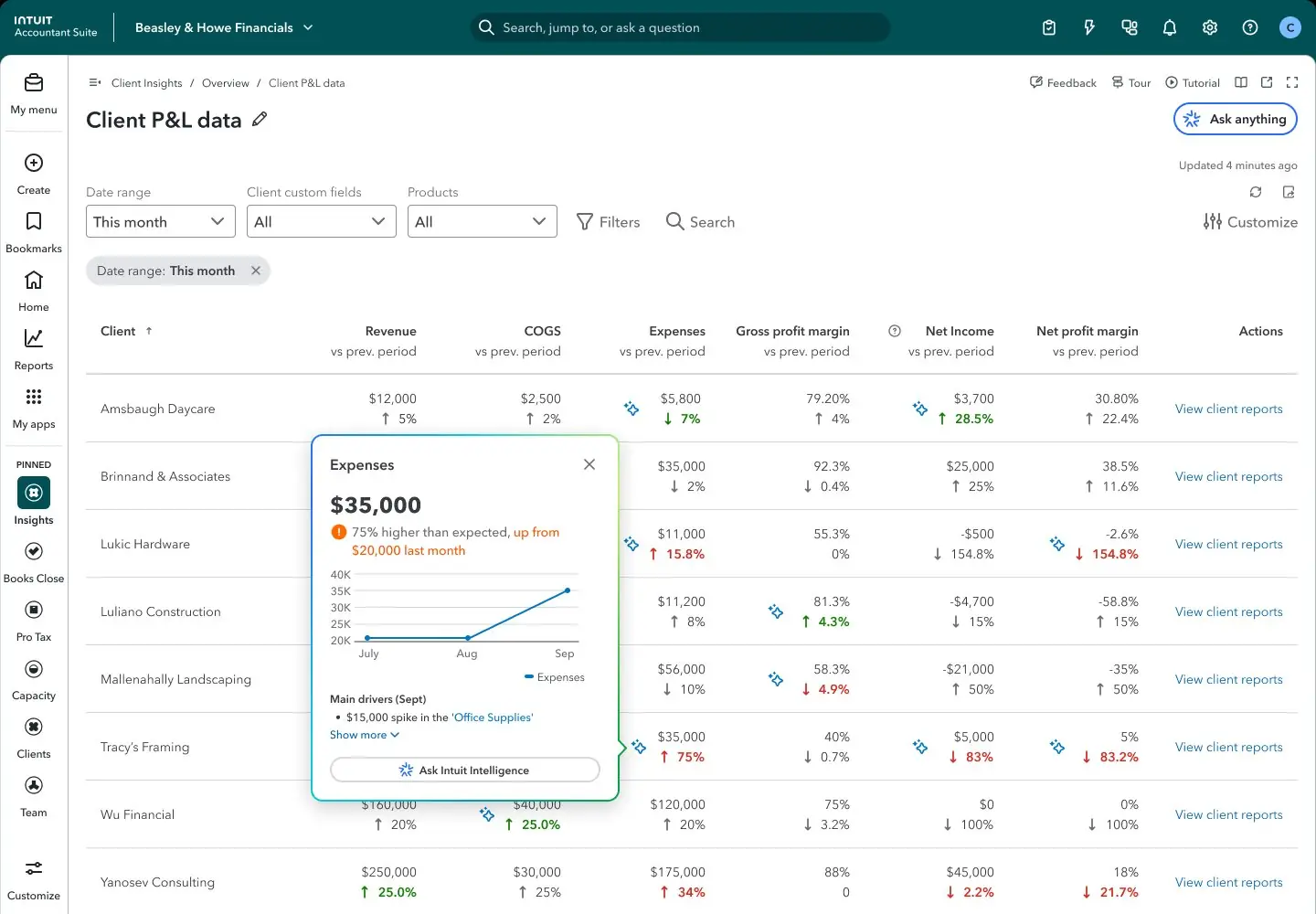
Every firm had been flying blind across hundreds of clients, reacting instead of anticipating. Client Console gave accountants a trading-floor view of their entire portfolio — shifting them from reactive firefighting to proactive advisory.
The next generation moves from a queryable data table to a fully agentic practice management layer — proactively identifying what matters, ranking it by urgency, and generating analysis alongside the accountant in real time.
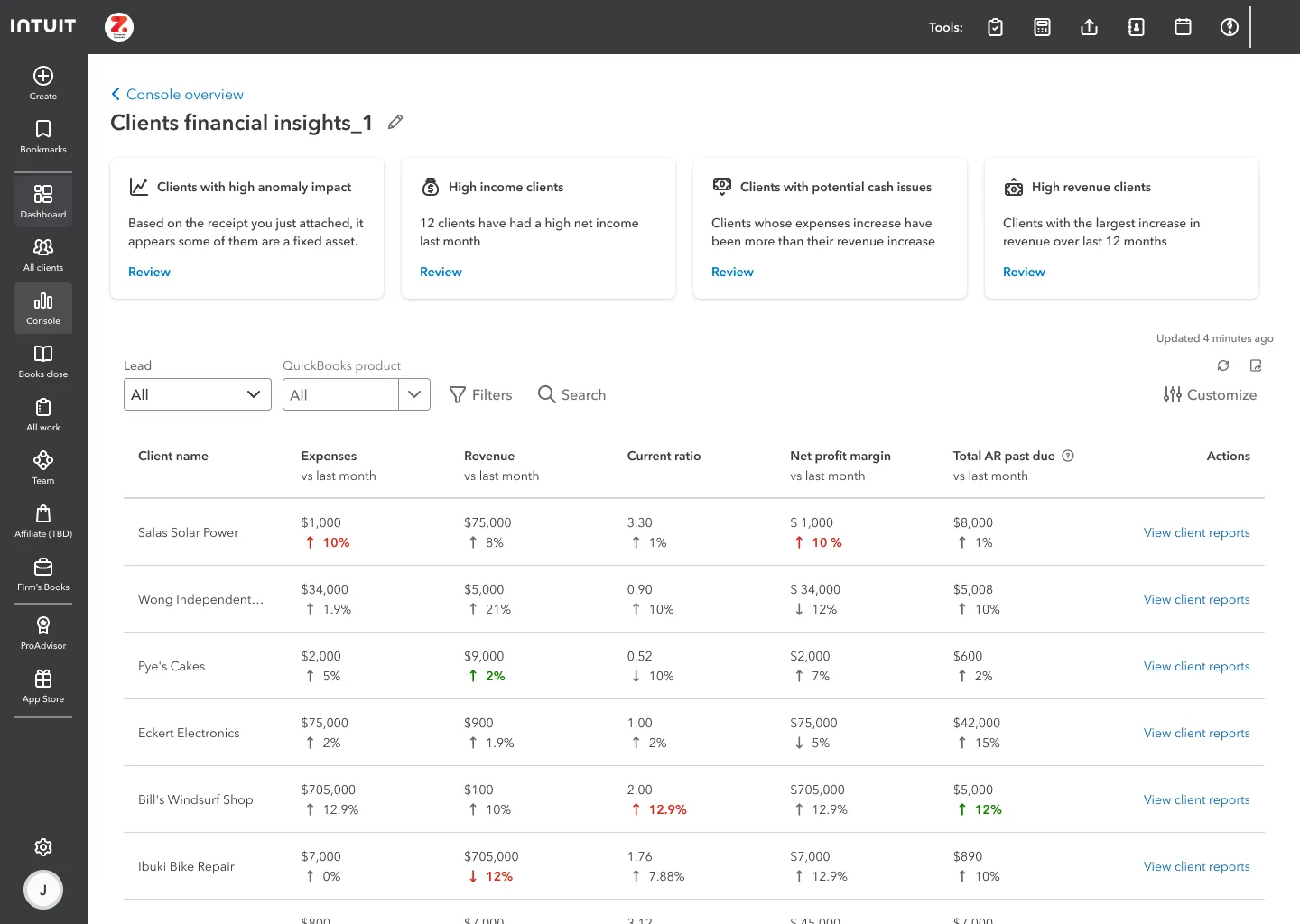
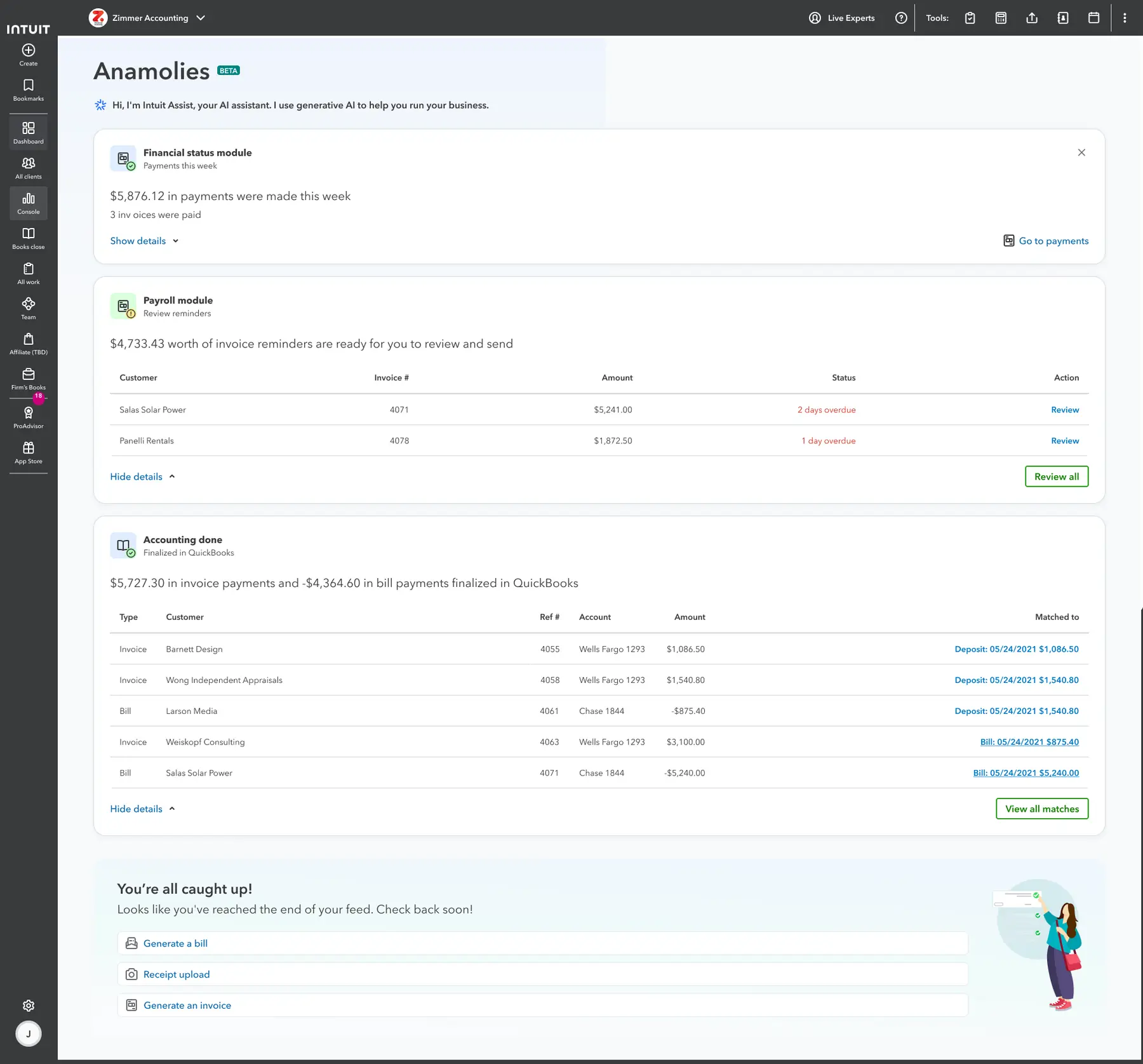
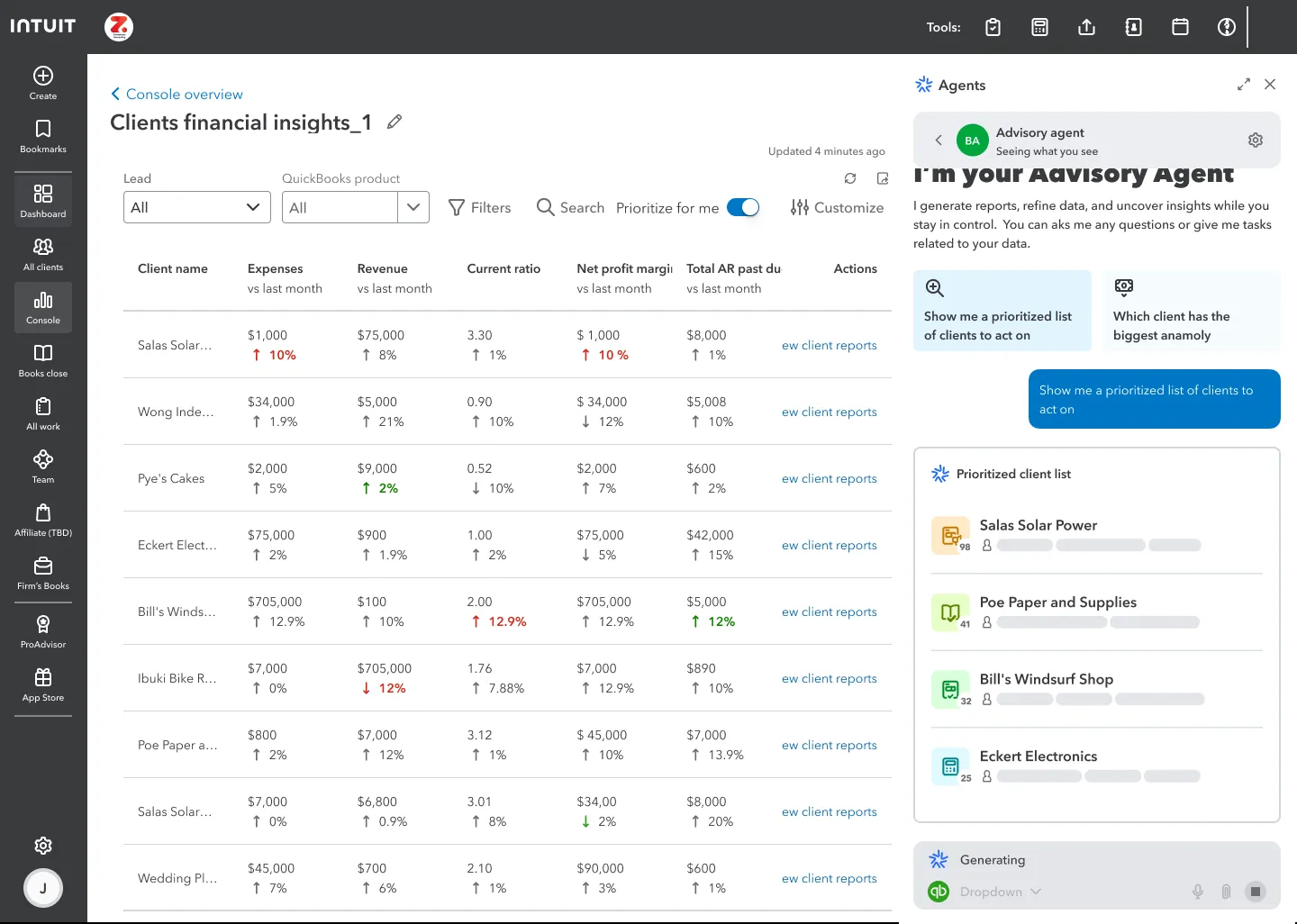
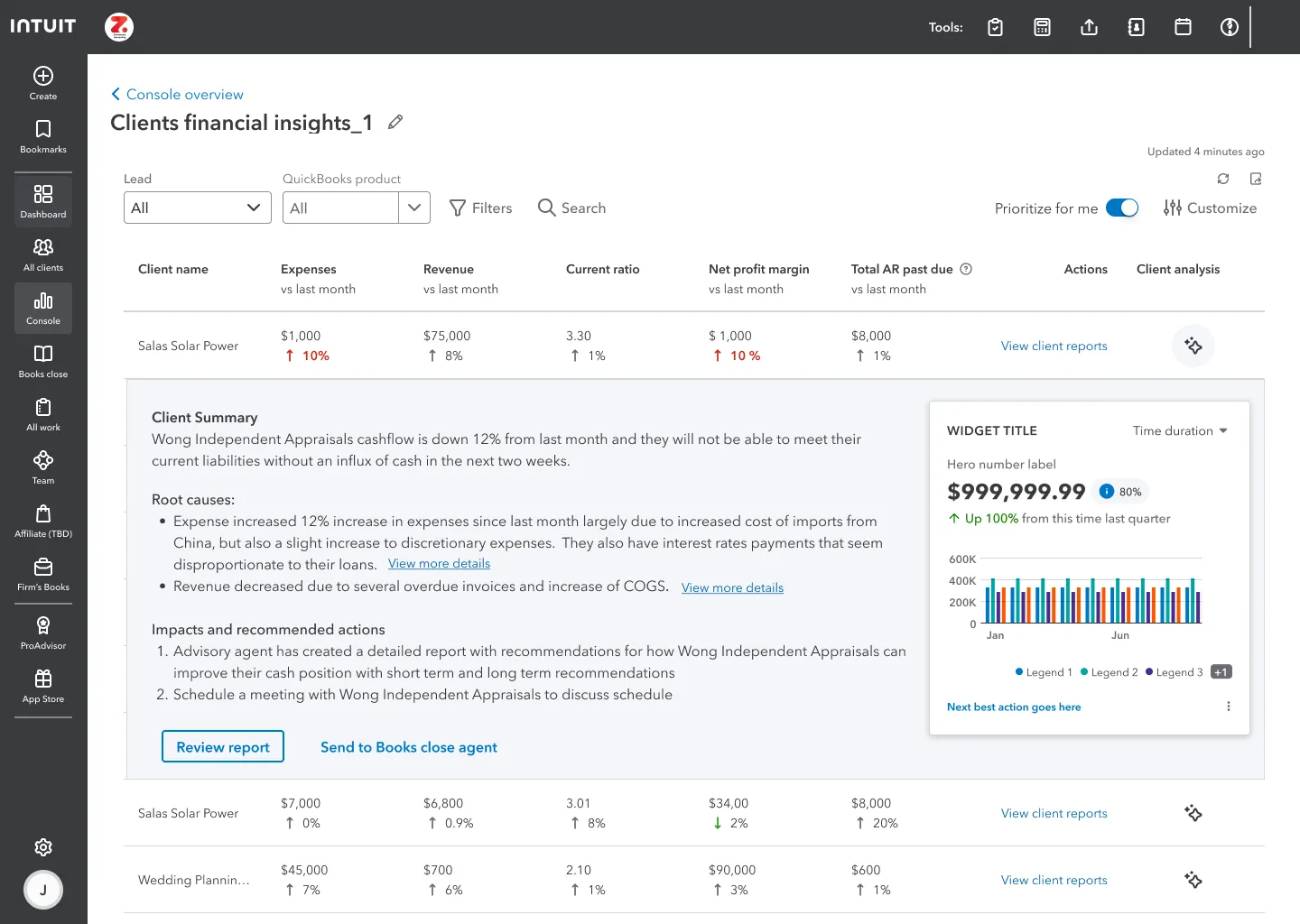
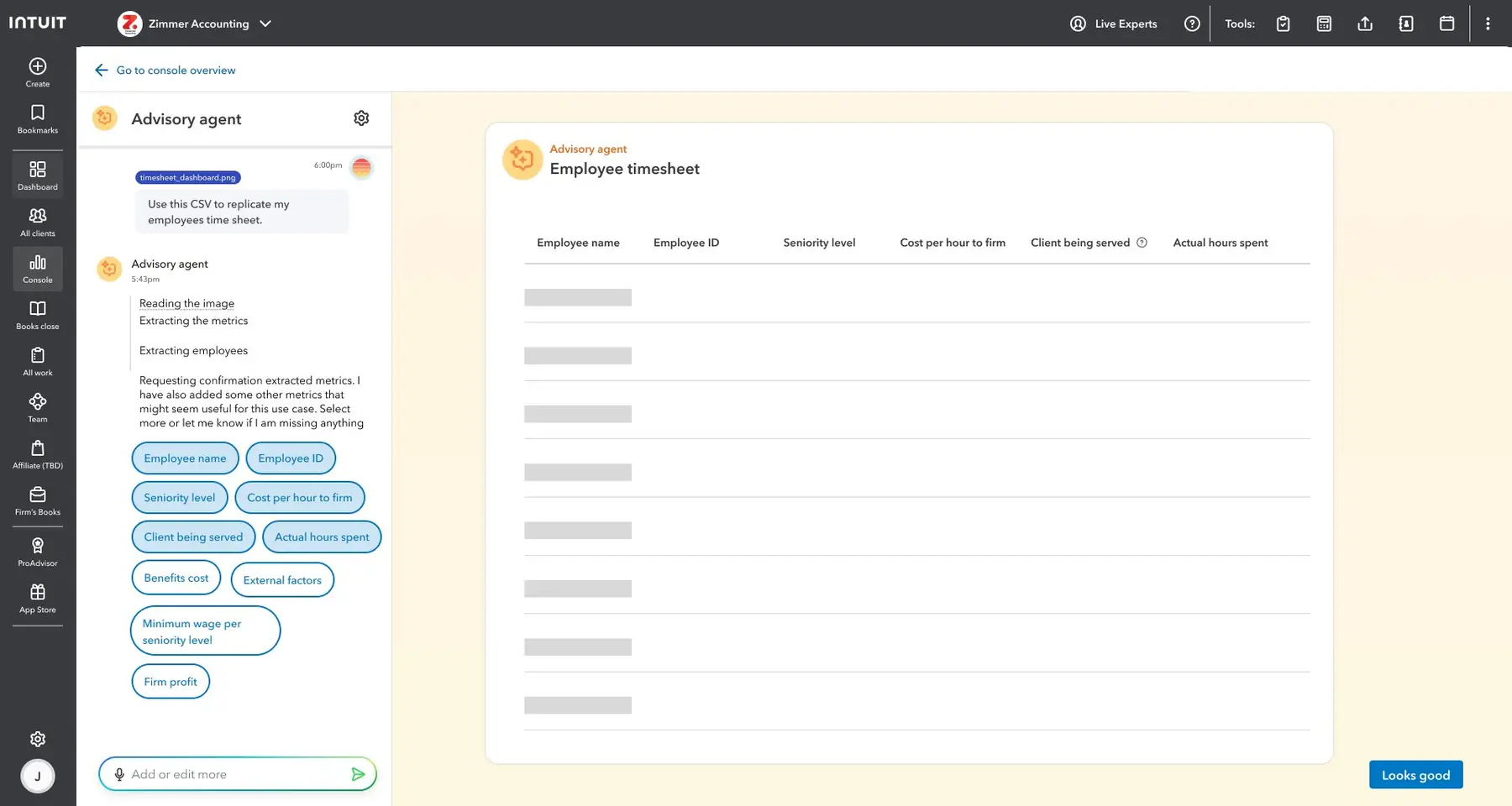
The hardest part wasn't the design — it was making the problem undeniable. No competitor offered portfolio-wide financial scanning; I built the case from scratch through research, white space framing, and positioning siloed data as revenue risk. Client Console became the first product to give accountants a trading-floor view of their entire client portfolio — shifting them from reactive firefighting to proactive advisory.
Design Systems · Platform · Cross-ecosystem · Staff IC
My contribution
As Intuit grew its product portfolio, every team was solving the same problem independently. QuickBooks had its own task feature. Mailchimp had its own. TurboTax was building one. Each solution was slightly different, none talked to each other, and collectively they represented enormous duplicated engineering investment — and a user experience that felt incoherent.
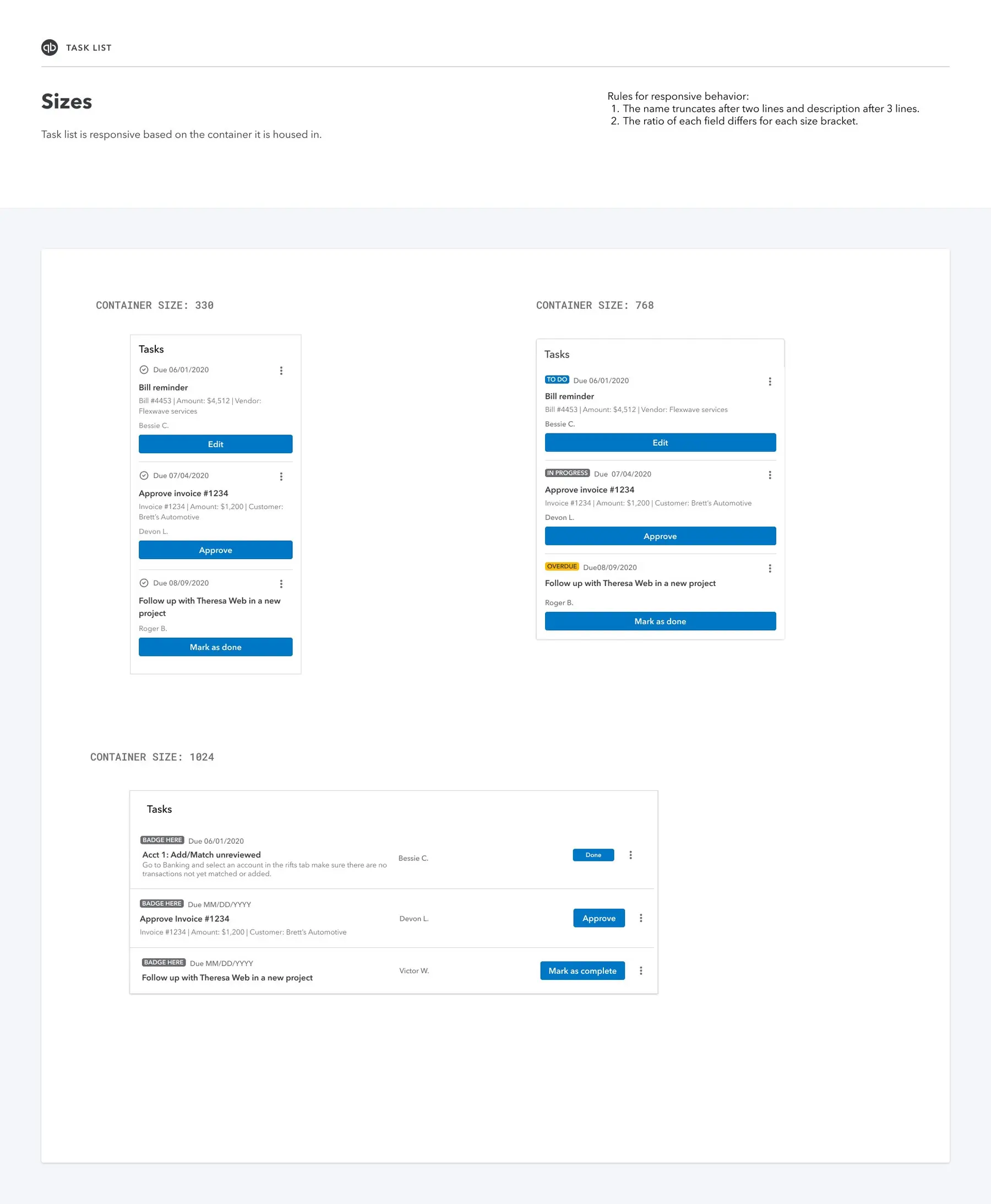
I delivered a responsive component library designed to be resilient across the full range of Intuit's surface area — from narrow sidebar widgets (330px) to tablet views (768px) to full dashboard contexts (1024px).
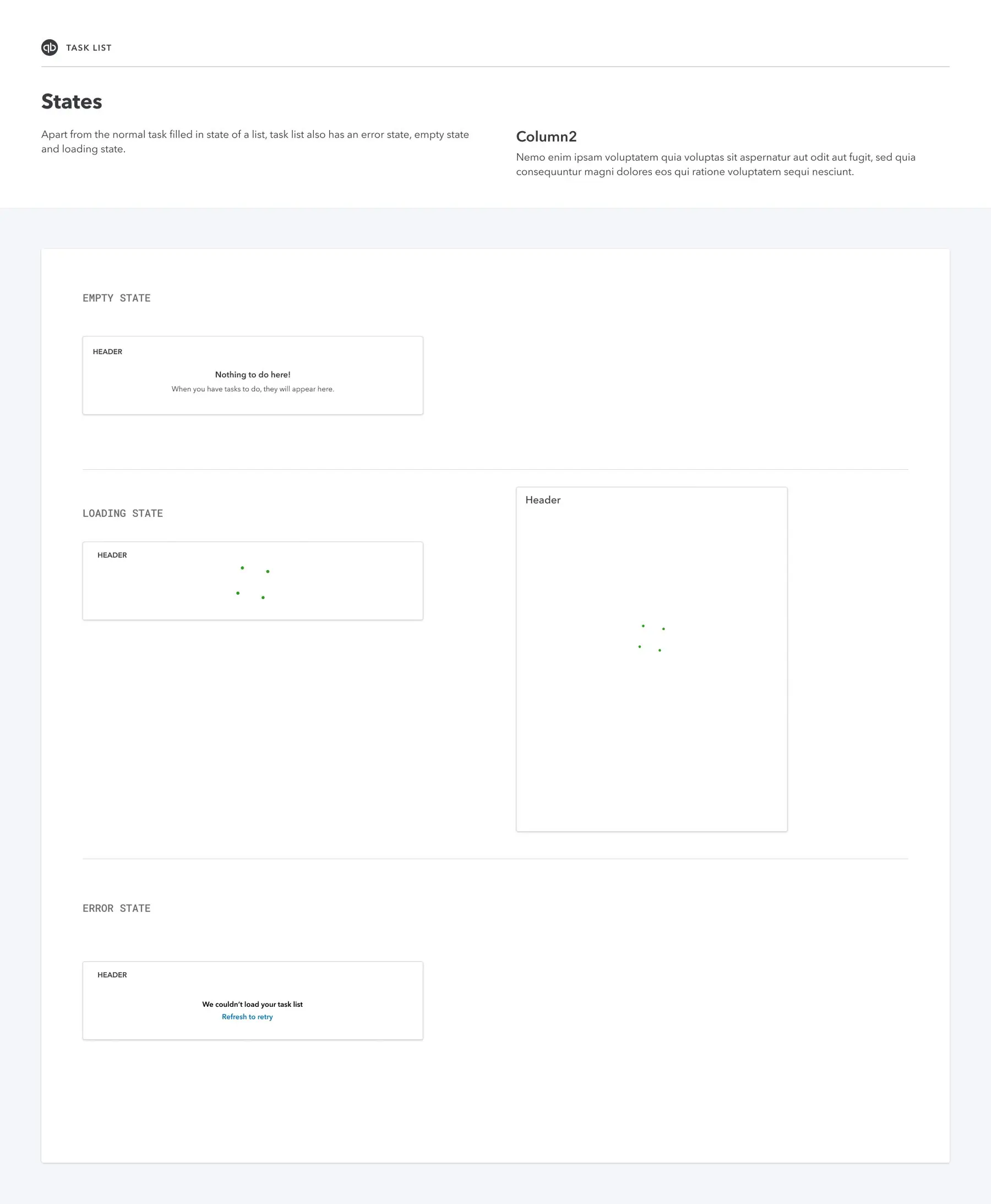
I designed comprehensive resilience specs for Empty, Loading, and Error states across all components. The non-happy path is where design systems typically fail in production — building these specs explicitly ensured a consistently high quality bar across all 15+ Intuit SKUs.
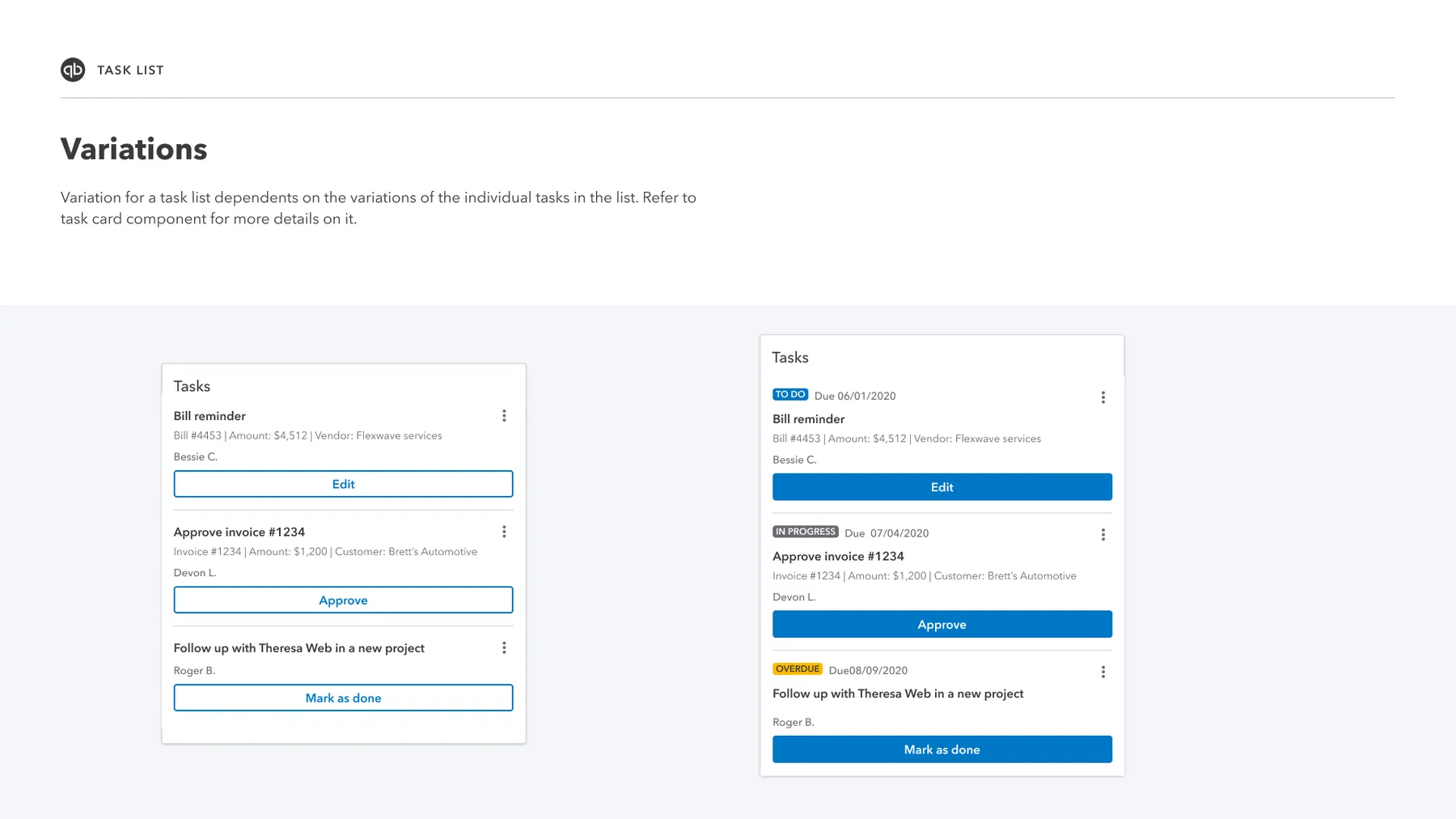
The hardest design problem wasn't the UI — it was governance. I designed the IPTM Design Working Model to answer how 15+ teams could build what their users need while maintaining platform coherence, defining three engagement scenarios:
Scenario A — Use as-is
Teams with standard use cases plug into existing IPTM components without modification. Zero coordination overhead, maximum consistency, fastest time to implementation.
Scenario B — Co-design shared extensions
When a team needs a capability that could benefit others — like Recurring Tasks — they co-design it with the IPTM team so it becomes a shared platform extension. Governed contribution, distributed benefit.
Scenario C — Partner-led contributions
Offering teams with unique domain needs build their own extensions, with IPTM owning the common UI and services layer. Maximum flexibility at the edges, coherence at the core.
I drove the FY23 Development Roadmap — prioritizing the core services and widget library that would unlock the broadest adoption. For FY24, I defined the Discovery Roadmap focused on the next capability tier: Project Templates, Custom Fields, and Portfolio Health tracking for mid-market users.
Unified work management across 6 Intuit products and 15+ offering teams under a single design vision and operating model. Established the DACI operating model as the standard for how Intuit platform teams and offering teams collaborate on shared capabilities.
Agentic AI · Books Close · Service Delivery
Books Close is the same month-end process firms already run — redesigned so agents handle the manual prep and accountants focus on judgment. Led the end-to-end design to move document chasing, follow-ups, bank connection fixes, and transaction coding off accountants' plates.
Month-end books close spans every client in a firm — the same process firms have always run, but almost entirely manual. Accountants chase client documents, follow up on requests, fix broken bank connections, and code transactions by hand, with progress stitched together across multiple tools each month.
Agentic Books Close keeps that process and changes who does the work. Agents take on most of the repetitive prep; accountants review and weigh in where judgment still matters — with firm-wide visibility across the book so firms can close faster and accountants can focus on the complex, high-value work that still requires them.
Present-day close was entirely manual — no agents in the loop. Accountants still worked client-by-client through static checklists, planning steps, transaction review, and financial statement prep inside each client file. Partners had a firm-wide Books Close overview, but it only showed period, due date, and status — not actual progress across the book, where input was still needed, or what it would take to change any of that.
Firm-wide Books Close overview
Client-by-client manual close
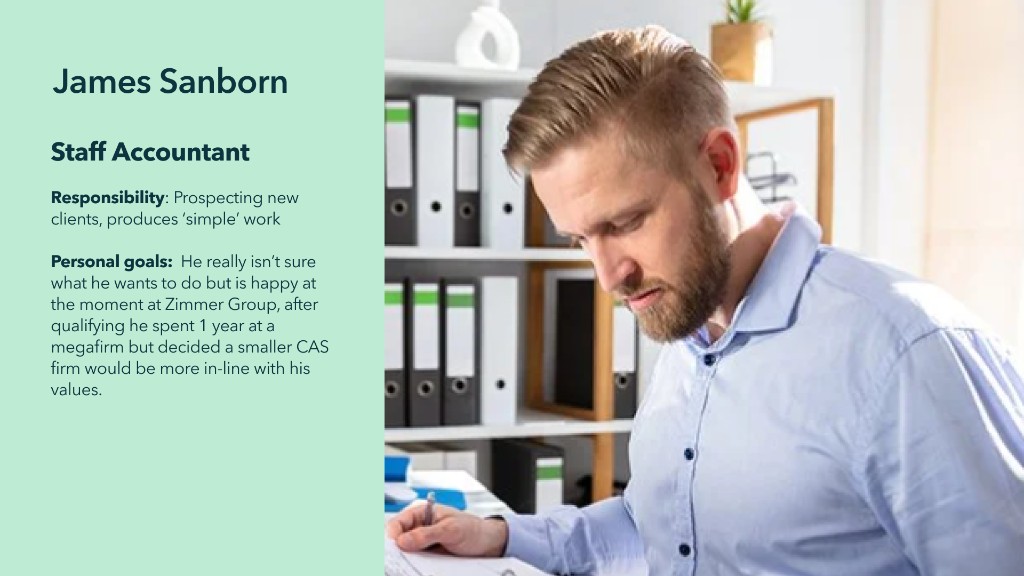
Two personas at a medium to large accounting firm — a senior accountant reviewing close work and a staff accountant executing it, both living inside the same client-by-client manual close problem during month-end crunch.

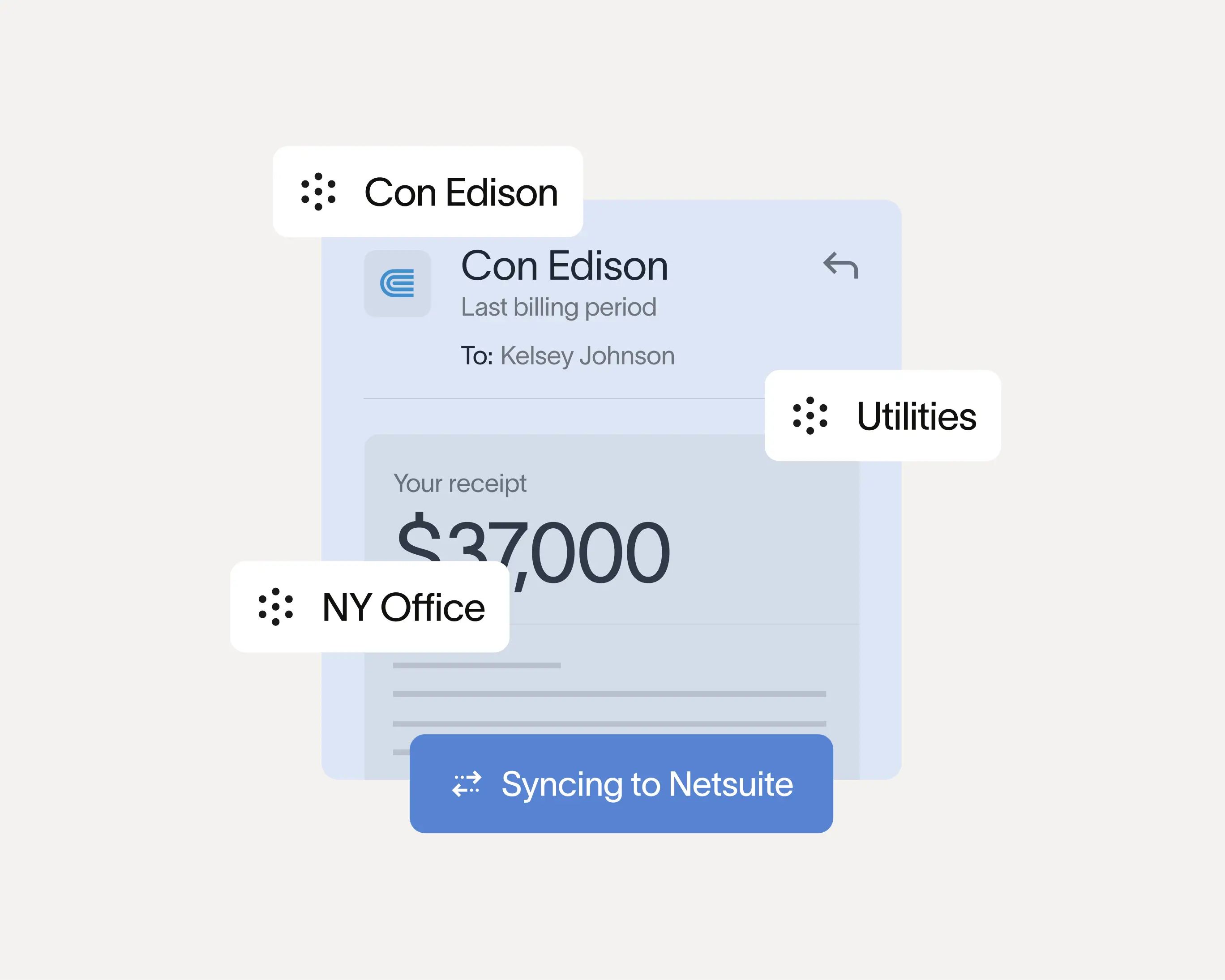
Benchmarked close management across accounting platforms, automation tools, and in-ledger review — mapping what firms actually used before we defined the agentic layer Books Close would own.
Double
Month-end close platform

Ramp
Real-time close automation
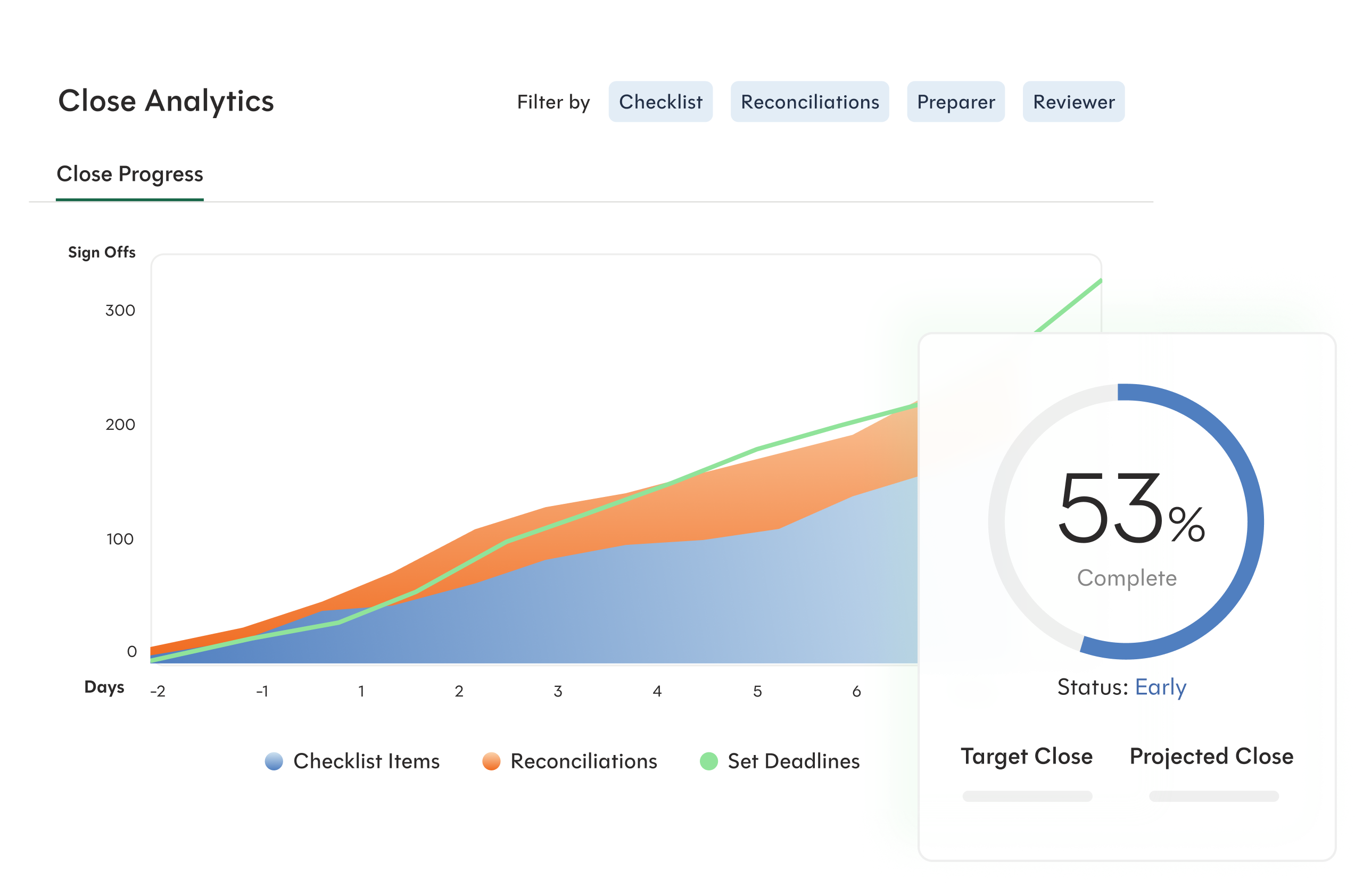
FloQast
Enterprise close management
Xenett
In-QBO close review
The gap was clear: some tools helped firms manage close manually, others brought agents and automation — but every product only covered one part of the workflow. None proactively detected blockers, ranked a firm's queue, or prepared work across every client before the accountant logged in. Biggest of all, none of them owned the GL of the client.
Five principles shaped the agentic close experience — firm-wide visibility, clear human handoffs, agent readiness, and cross-source collaboration, all in service of the same close process with far less manual effort.
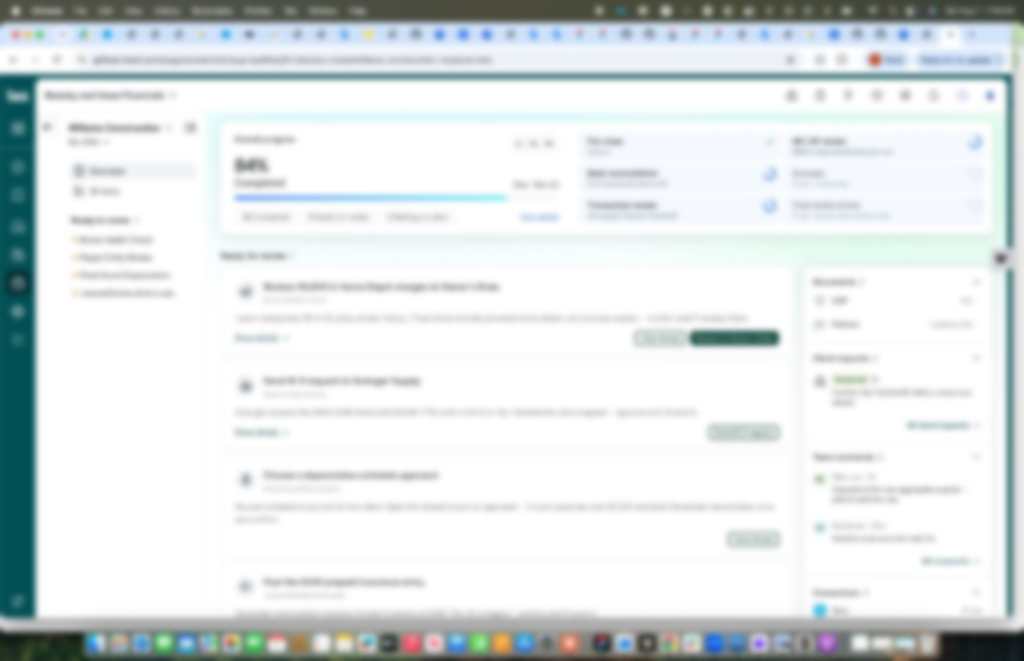
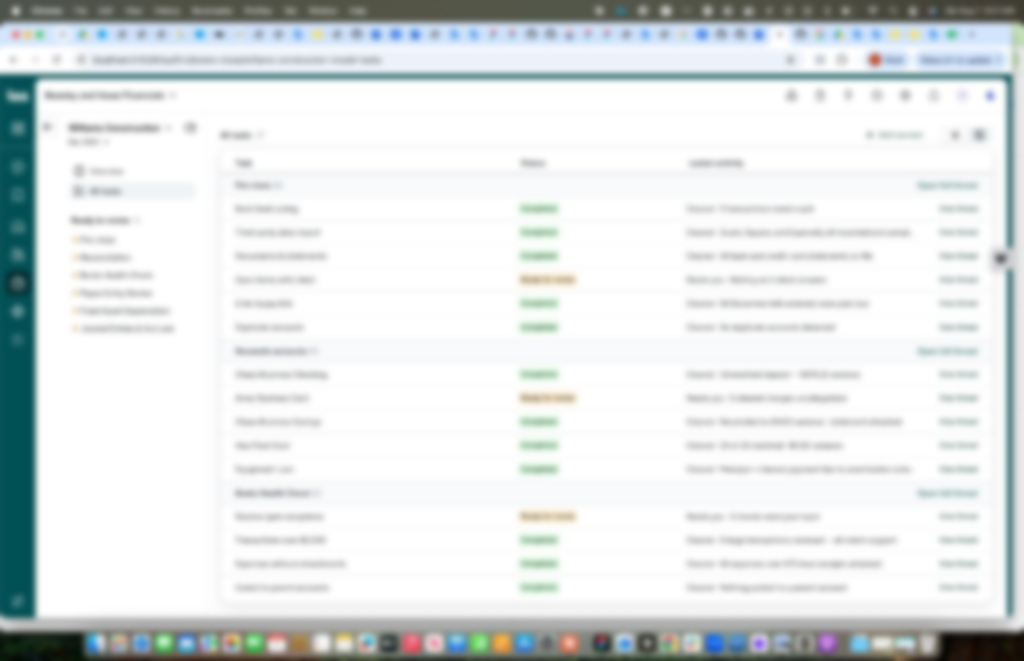
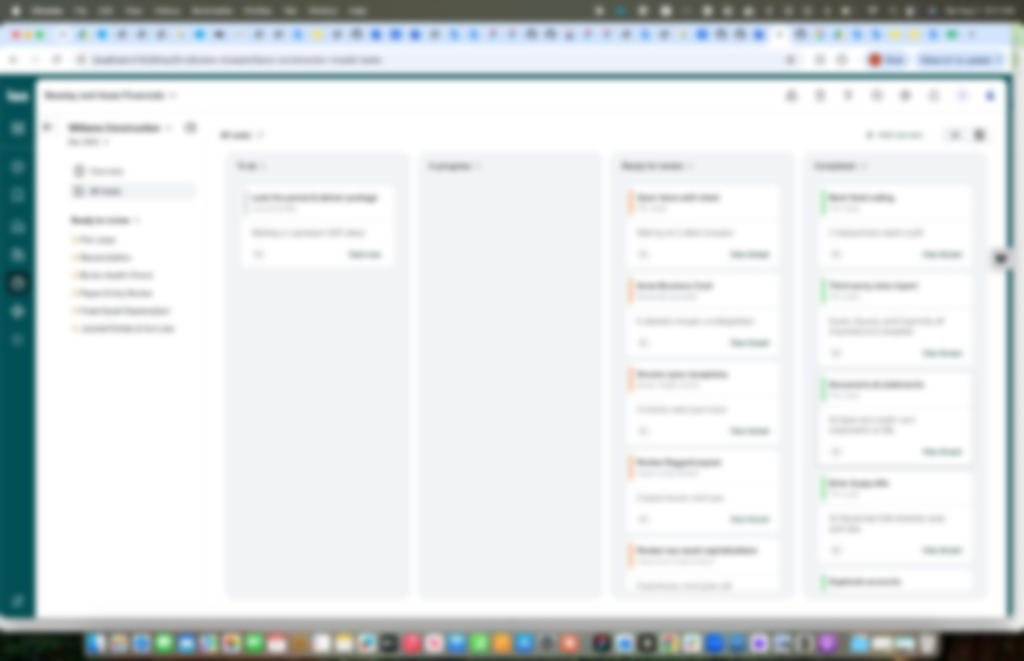
Each screen maps to a design principle — firm-wide visibility, human handoffs, agent readiness, and cross-source collaboration — evolving the manual close experience accountants already know rather than replacing it.
Work in progress Screens below are intentionally blurred — this product is still in development and cannot be shared in full fidelity.
Books Close dashboard
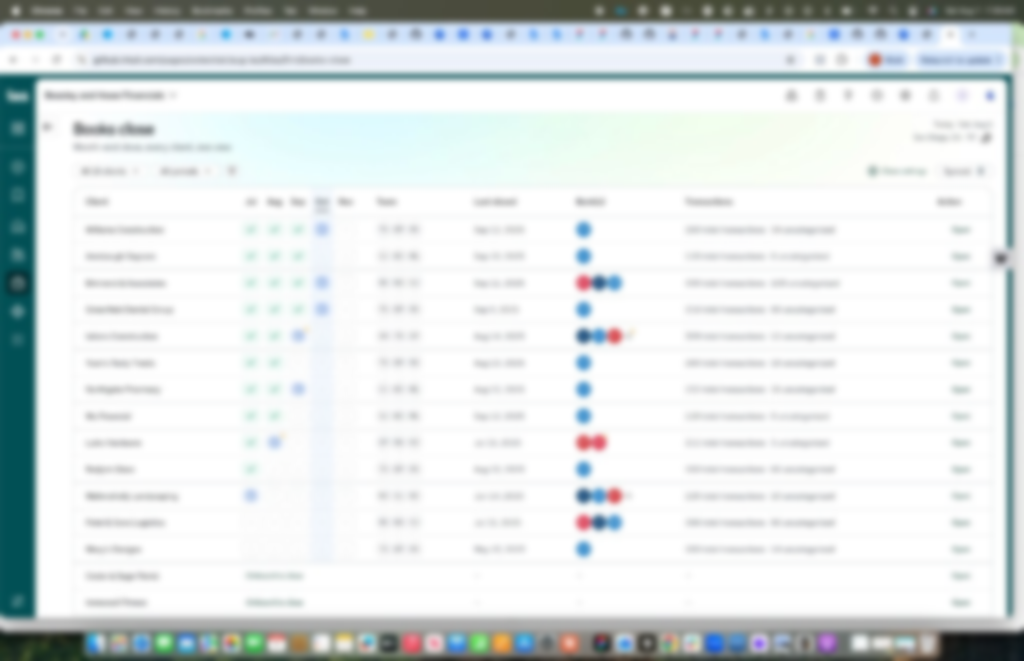
Close progress & ready for review
Status views that replace client-by-client checking — across task lists, kanban stages, and firm-wide dashboards.
Firm-wide close status
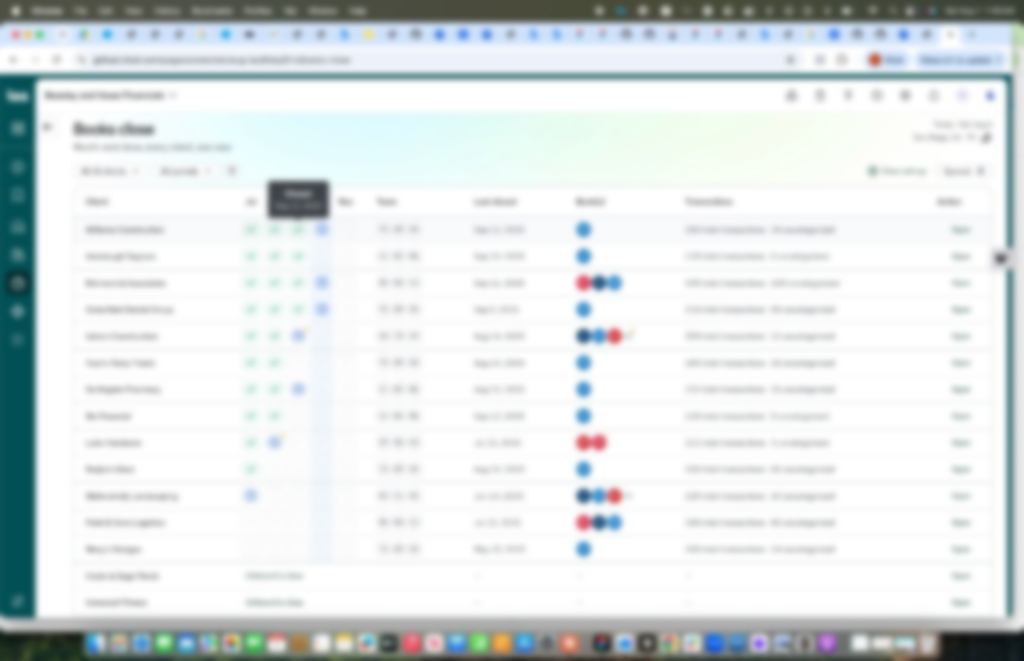
Close task list
Kanban view
Surfaces what the agent is blocked on and what only an accountant or client can supply — before staff dig into individual files.
Books Health Check
Inline analysis
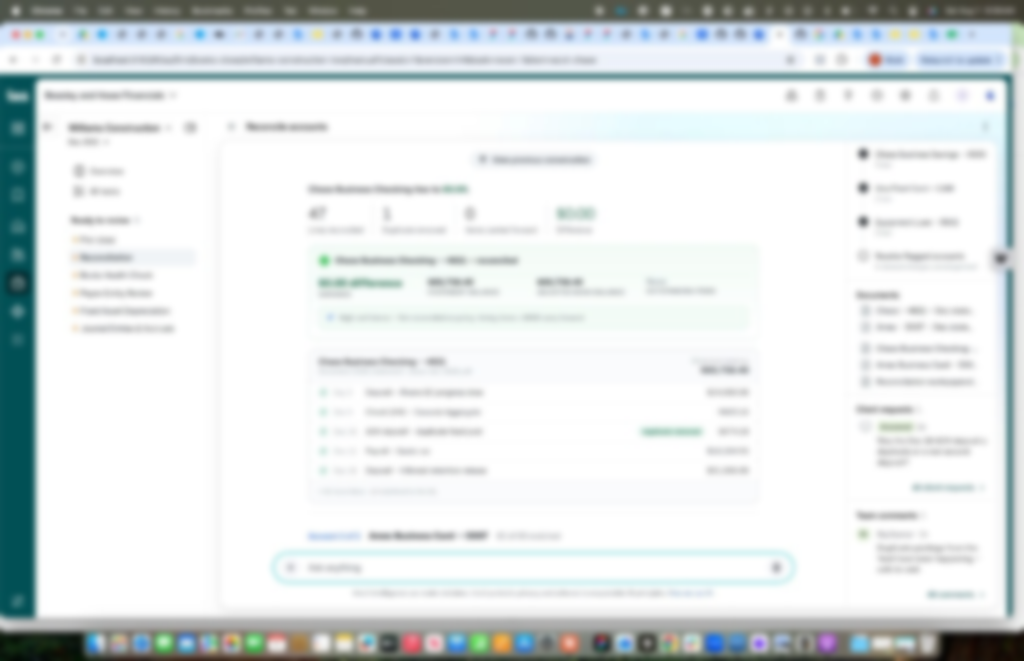
Pulls together what lives in the ledger, with the firm, and with the client — so close work does not fragment across tools and people.
Matched reconciliation
The benefit shows up during month-end crunch: less repetitive work across every client file, fewer status checks and handoff delays, and firms that can close the month faster — with accountants spending their time on the work that actually needs them.